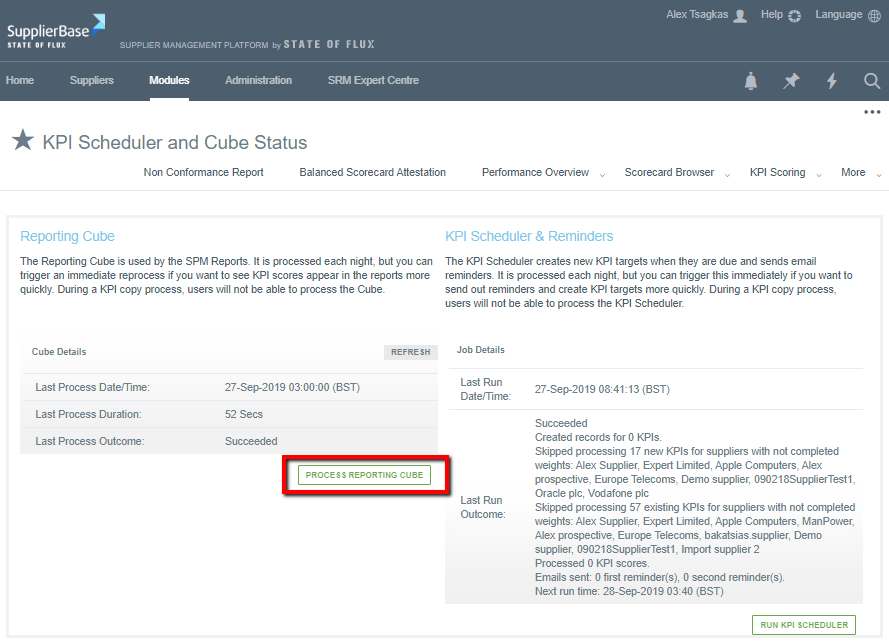
Once a day the system will run a process which creates new KPIs and then processes them so that on the following day, they are ‘live’ KPIs and available for users to score. For example, if a user is to setup new KPIs for a supplier on Day 1, the Scheduler will run (usually in the evening/ midnight of Day 1) and process these new KPIs and should these KPIs have a Target Start Date of Day 2, then in the morning of Day 2 as users login they will see their new KPIs in their Upcoming KPIs page allowing them to score.
Should users require KPIs to appear on the same day, this scheduling process can then be run manually within the user interface, to ensure KPIs appear for scoring on that day.
To do this:
Go to Modules > Performance > KPI Scheduler and Cube page, click on ‘Run KPI Scheduler’
The page will load for a few minutes and then refresh. Once completed the system will show ‘Succeeded’ as below:
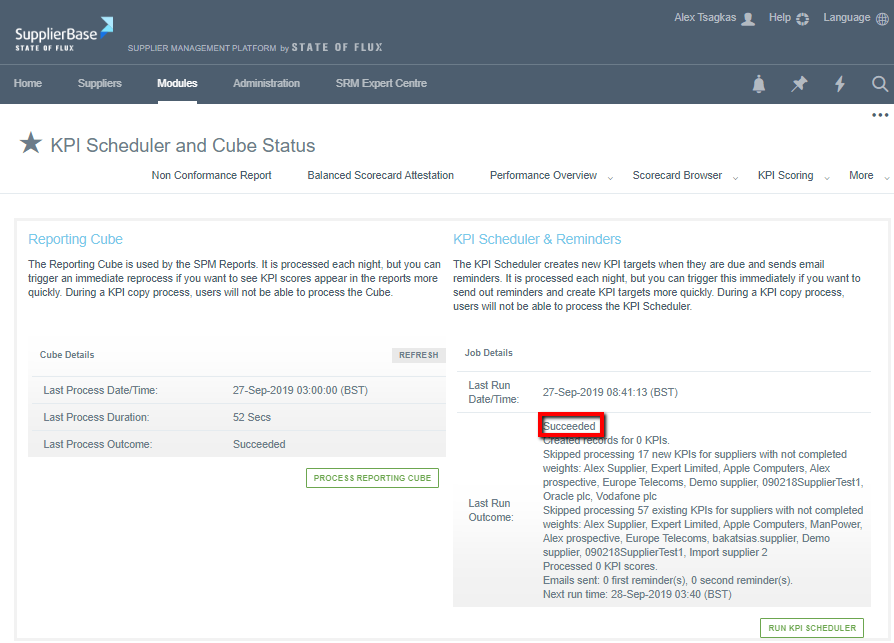
There is a further process in this page, referred to as the Reporting Cube, this process calculates all KPI scores that were scored on that day, to ensure they can be reported on, similarly the process runs on the evening/ midnight of everyday to ensure that the following morning users have access to the latest KPI scores that were submitted on the previous day.
To do this:
- Go to Modules > Performance > KPI Scheduler and Cube page, click on ‘Process Reporting Cube’
- The page will load for a few minutes and then refresh. Once completed, the system will show the process having ‘Succeeded’ as below.