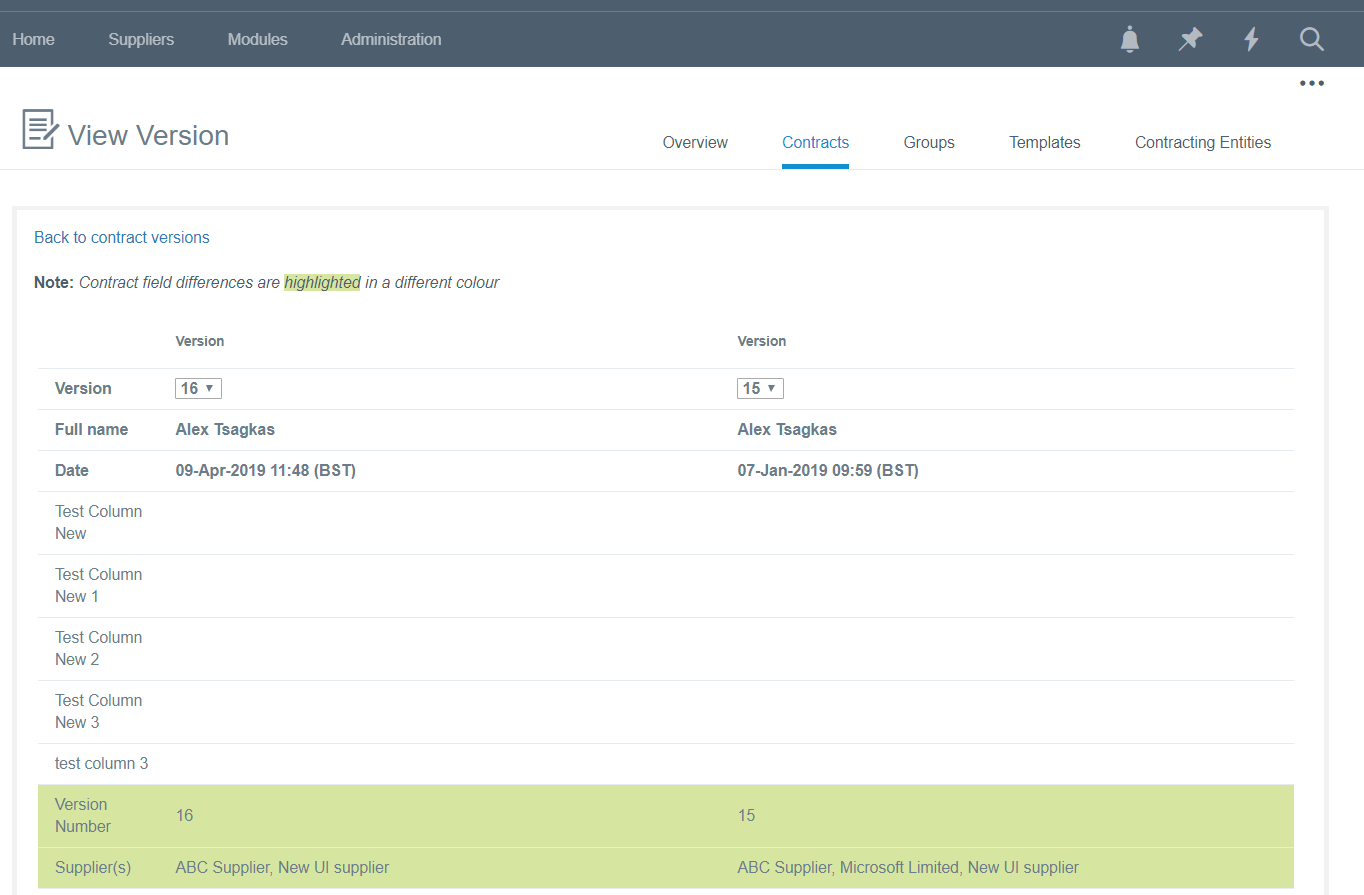
The contract versions feature provides users with the ability to view all changes to (the meta-data fields of) a contract.
From the main contract grids in the platform, click on a contract and a pop-up toolbar will be displayed and then click on the Versions icon.
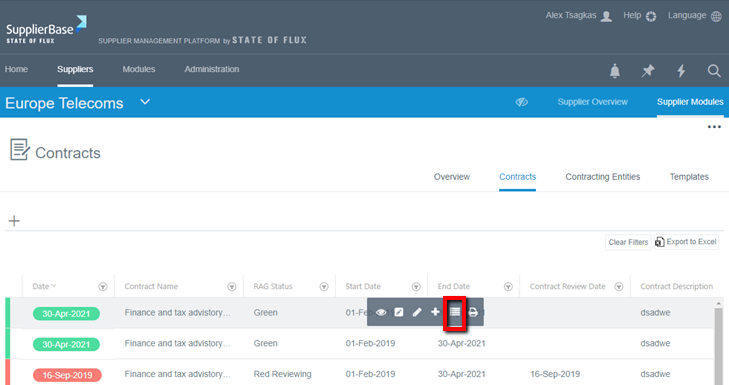
The user is directed to the versions summary page.
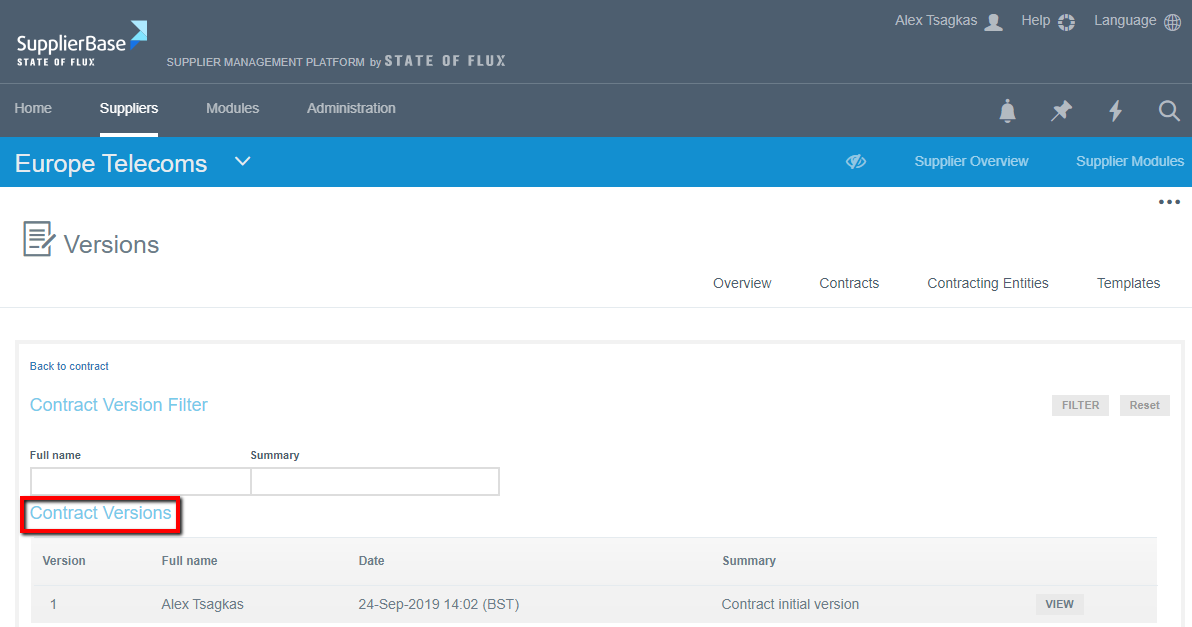
At this page, the user can view a summary of all changes to the contract details by date. To view more detailed information about a contract change, please click View next to a contract version number.
The Version Details page provides users with a side-by-side comparison of two versions. The fields that have been modified or are different between the two versions are highlighted in green.
Please note that at the top of the table, user can select any of the versions of a contract to compare.