
From the survey's page, click on the Edit button on the top right corner of the section.
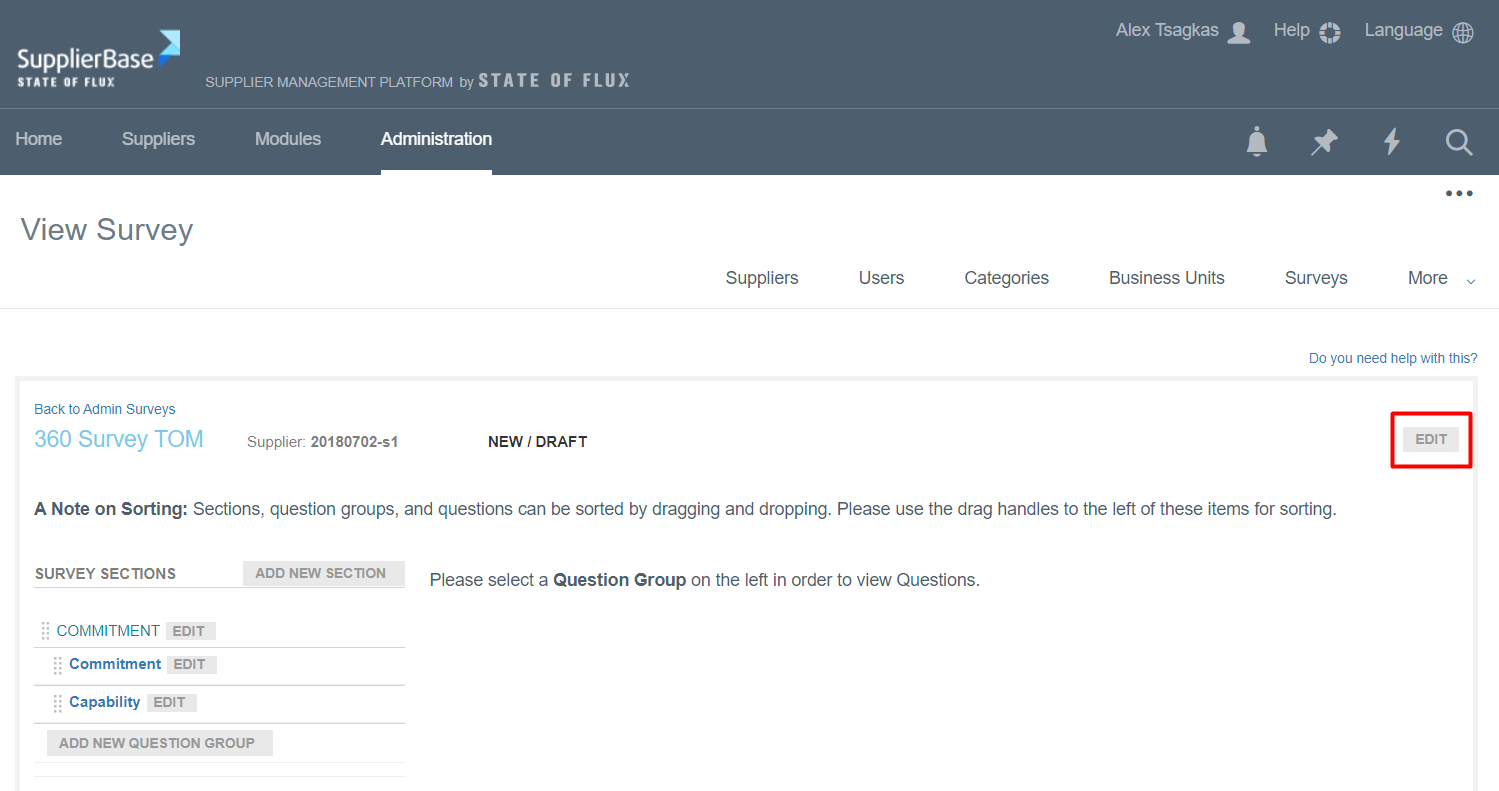
A pop-up window appears.
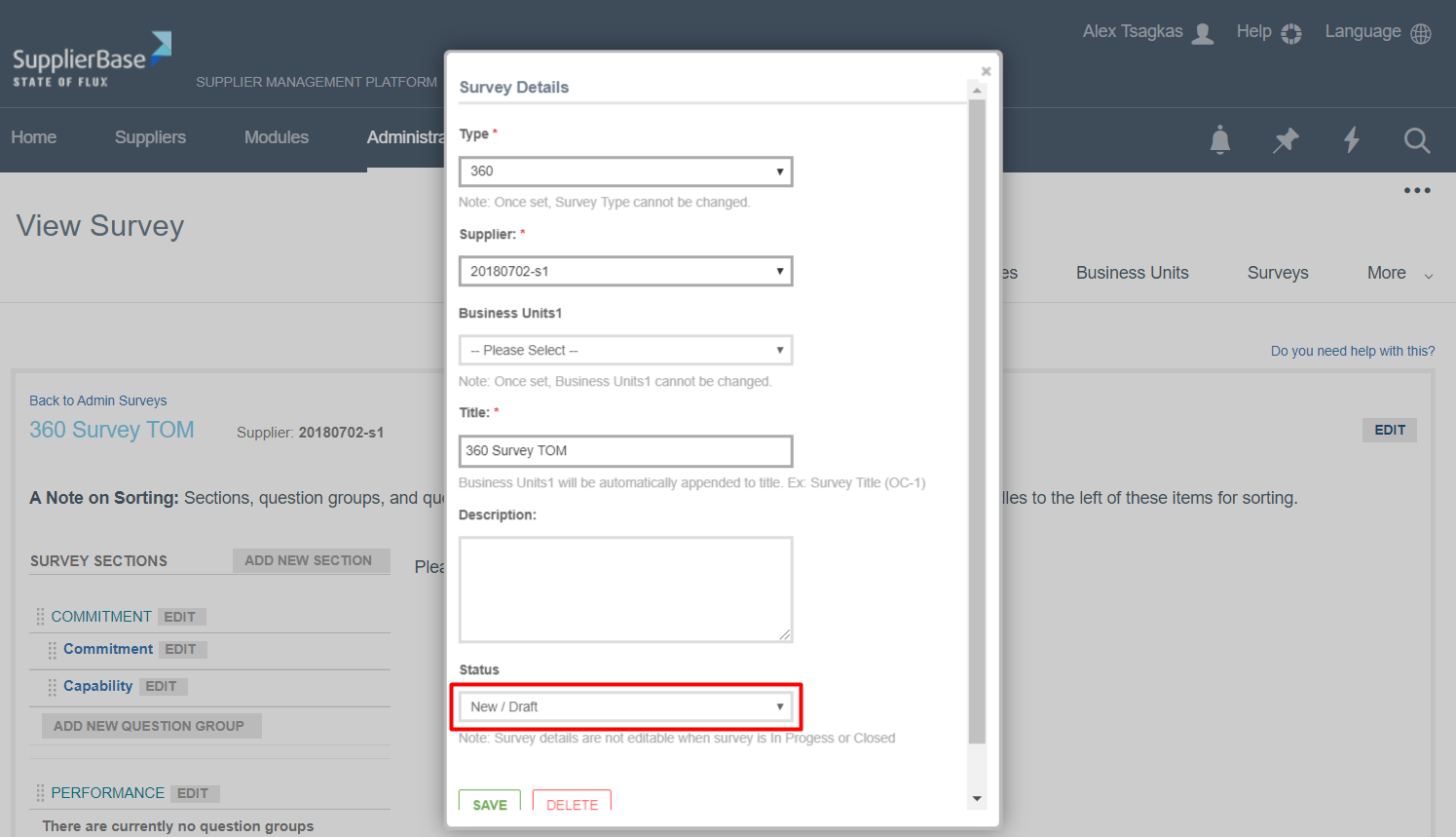
Change the status of the survey from New/Draft to In Progress. A message notifies the users that questions are no longer editable if a survey is in the In Progress status.
Click on Save. The survey is published and ready to be sent to stakeholders.