
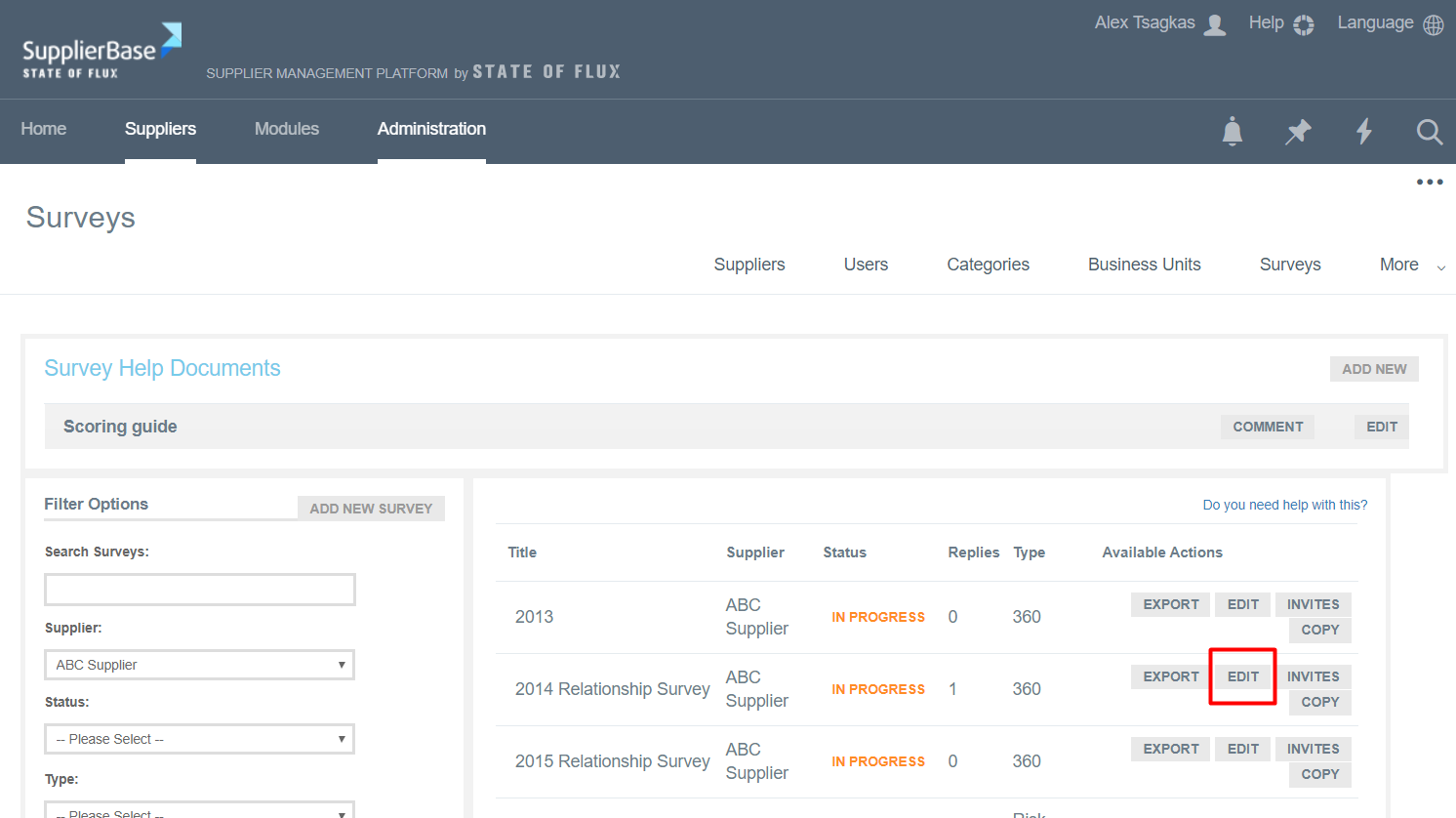
In order to close a survey, go to Administration > Surveys and click on the Edit button next to a survey.
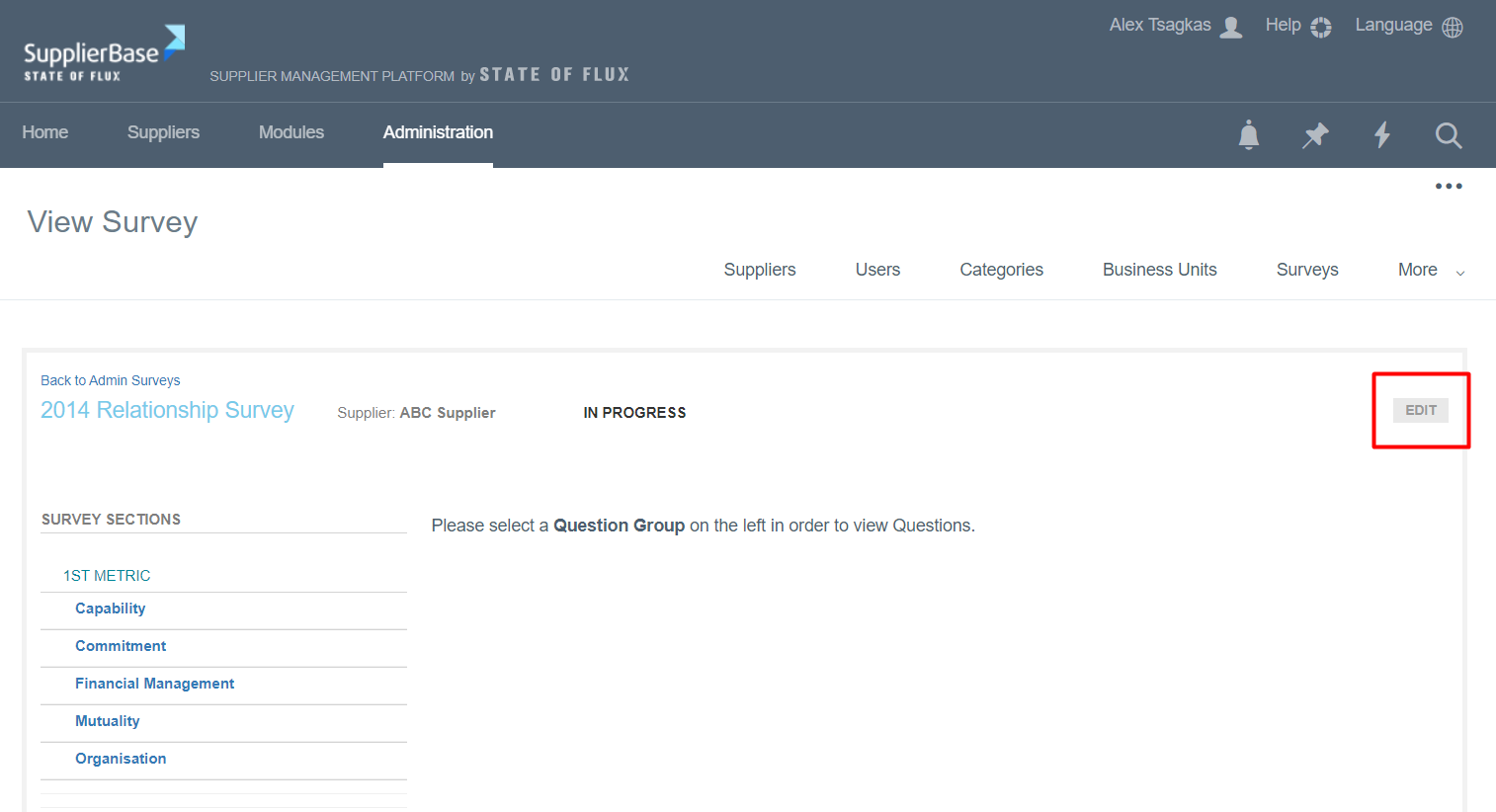
The survey opens. Click on the Edit button.
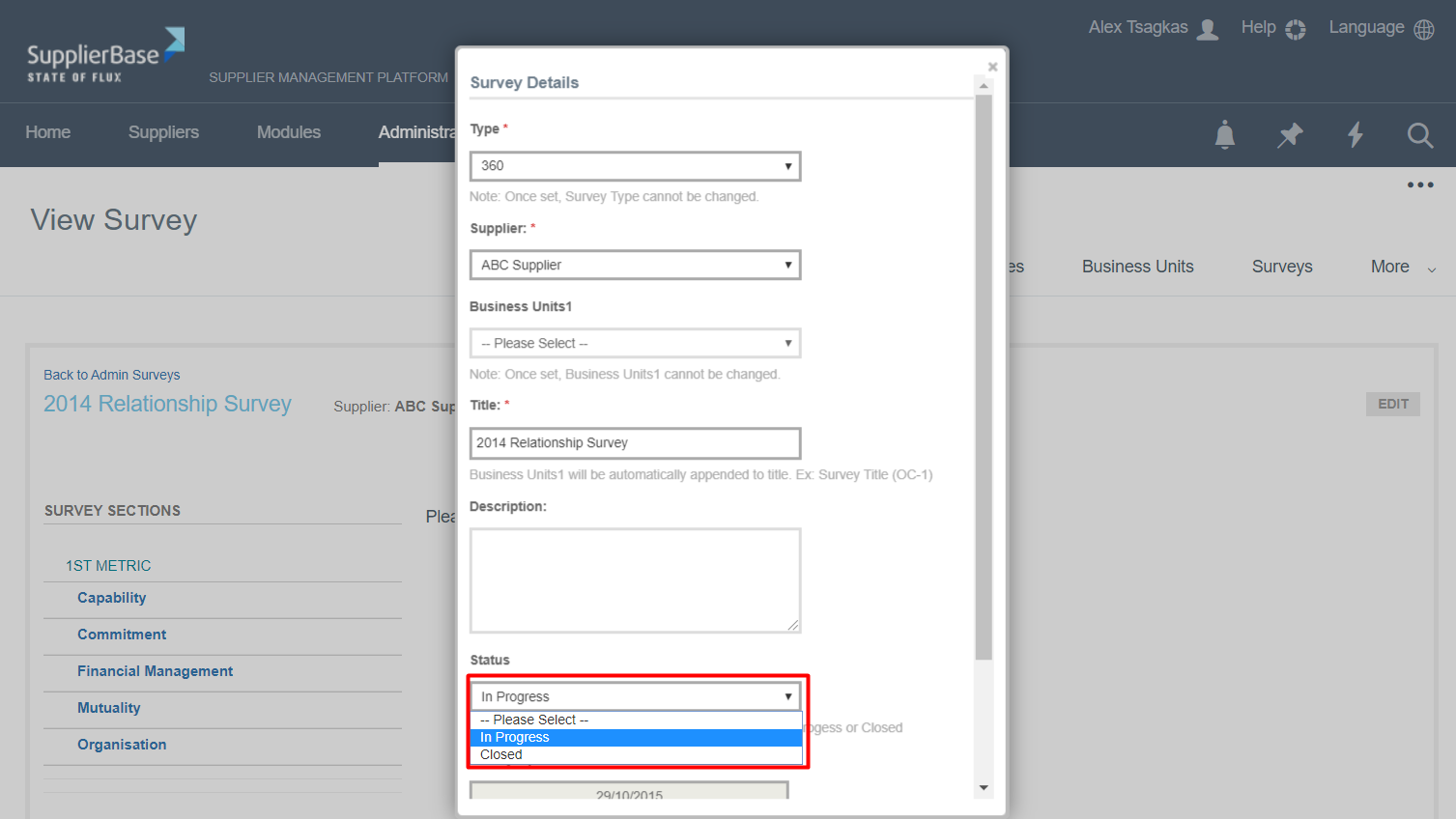
A pop up window appears. Go to Status, select the option Closed from the drop down list and click the Save button.
The survey is now closed.