
Users can find the surveys page under the Administration tab.

If you click on Surveys, the page will be loaded.
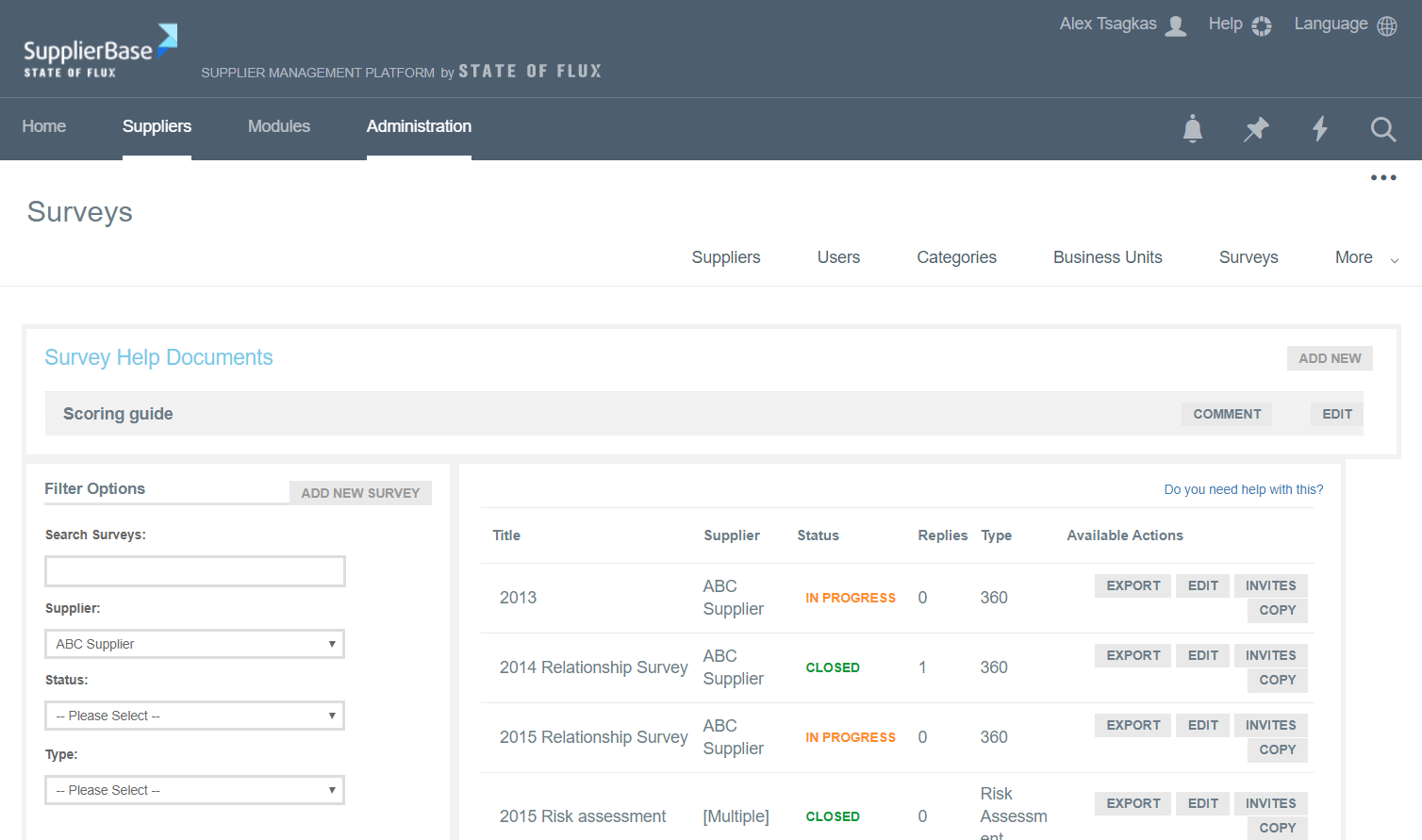
A list of all surveys is provided on the right hand side of the page. The information shows:
- The title of a survey
- The supplier the survey has been created for
- The status of the survey (New / Draft, In progress, Closed)
- The current number of replies to a survey
- The type of a survey (360° Survey, Basic Survey, SPM, CSR, Risk Assessment, Riskiness Assessment, Supplier Readiness)
- The actions available to the administrator
The actions available to the administrator are the following:
Export: the administrator can export the survey's questions and answers in an excel file
Edit: the administrator is able to edit the questions of the survey if needed
Invites: the administrator can see who the recipients of the survey are
Copy: the administrator can copy this survey and then edit it instead of creating a new survey from scratch