
There are various pages in the platform that provide users with access to actions.
In summary:
- At the homepage, users can view and edit actions that they are action owners
- At the supplier overview page, users can view and edit actions that are relevant to a specific supplier
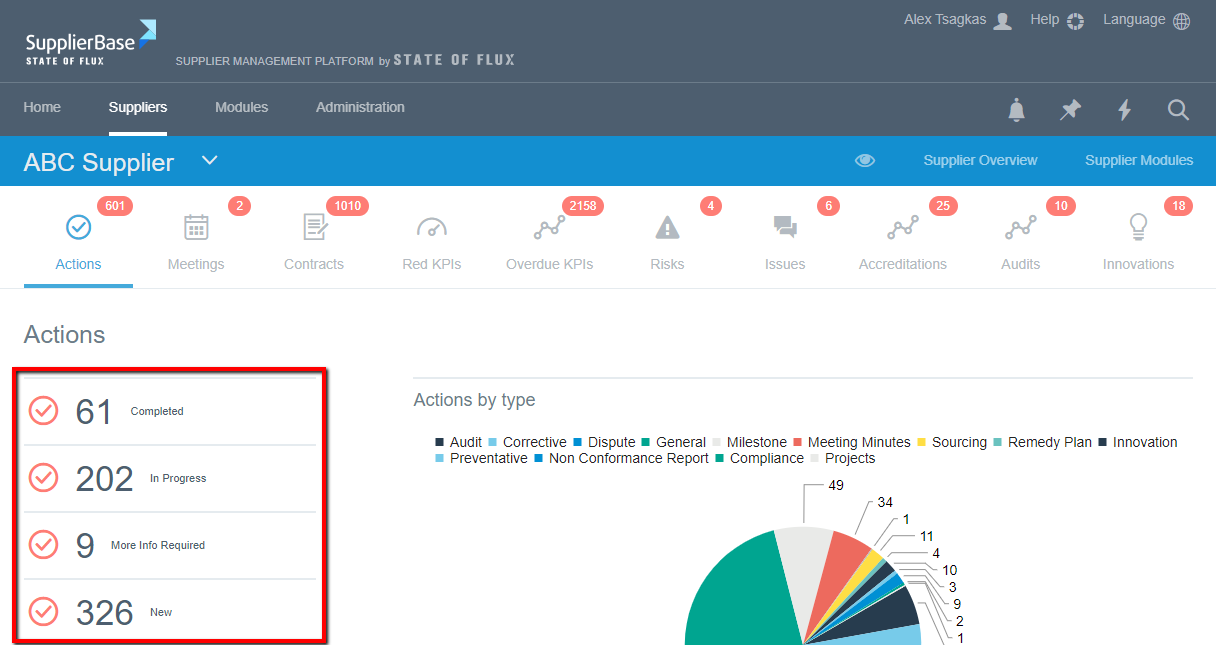
At both the homepage and the supplier overview page, users can view actions categorised in the following ways:
1. By state of completeness such as New, In Progress, More Info Required, and On Hold.
2. By Action type (at the supplier level) such as performance, relationship, risk, meeting minutes, and contract; or by supplier (at the homepage).
For example (in the screenshot below), on the left users can see the status of the actions and how many actions within these status there are, e.g. 82 actions and their status ranges from In progress (37), More info required (5), New (39) and On hold (1).
To access the main page of the actions feature, users can navigate to Supplier Modules > Relationship > Actions.