System administrators have the ability to request technical support through Zendesk, State of Flux’s online helpdesk. To access Zendesk,
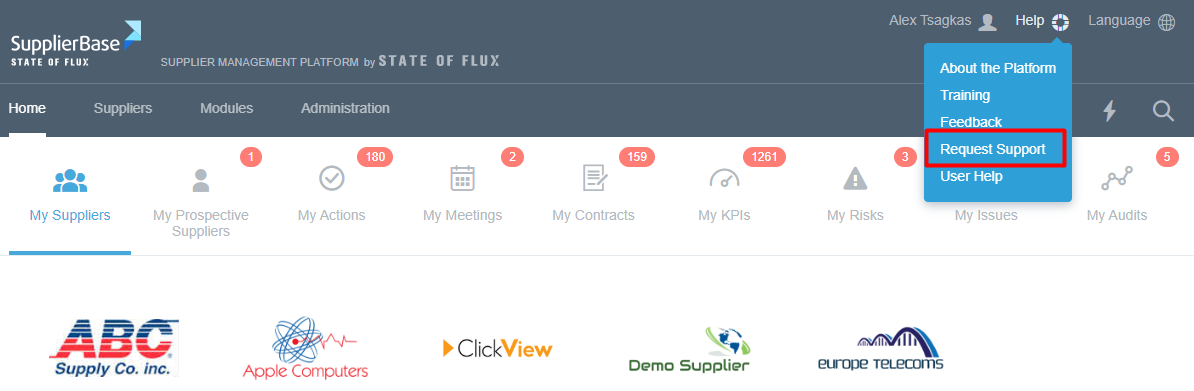
- Login to Supplierbase
- Click Help on the top-right corner
- Select Request Support
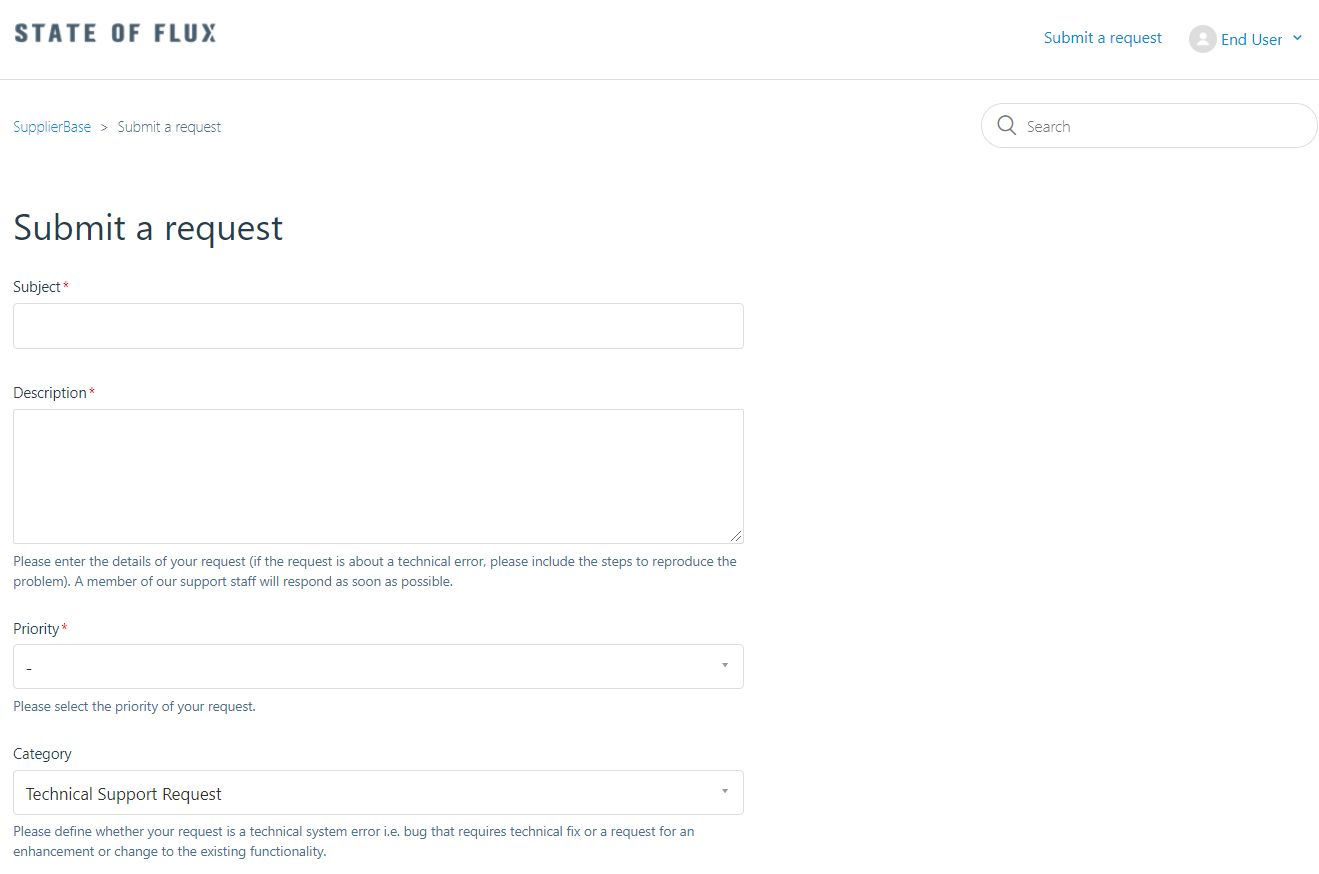
You are then directed to Zendesk where you can submit a request for support.
Alternatively, as a system administrator, you will be also provided with personal user credentials to access Zendesk outside SupplierBase too.
Note: SupplierBase and Zendesk are integrated. Therefore to submit a technical support request you can access Zendesk either outside of SupplierBase (by using your existing Zendesk user credentials) or via SupplierBase (when you click on Request Support from within SupplierBase, the platform will recognise your Zendesk user account and provide you with access to Zendesk using your existing Zendesk account).
Fill in the form with the following information and click on Submit.
- Subject: short description of the request
- Description: detailed description of the issue and how it is replicated
- Priority: select your priority that you wish the request to be managed
- Category: define whether your request is a technical system error i.e. bug that requires technical fix or a request for an enhancement or change to the existing functionality.
- Attachments: any related documents or photos
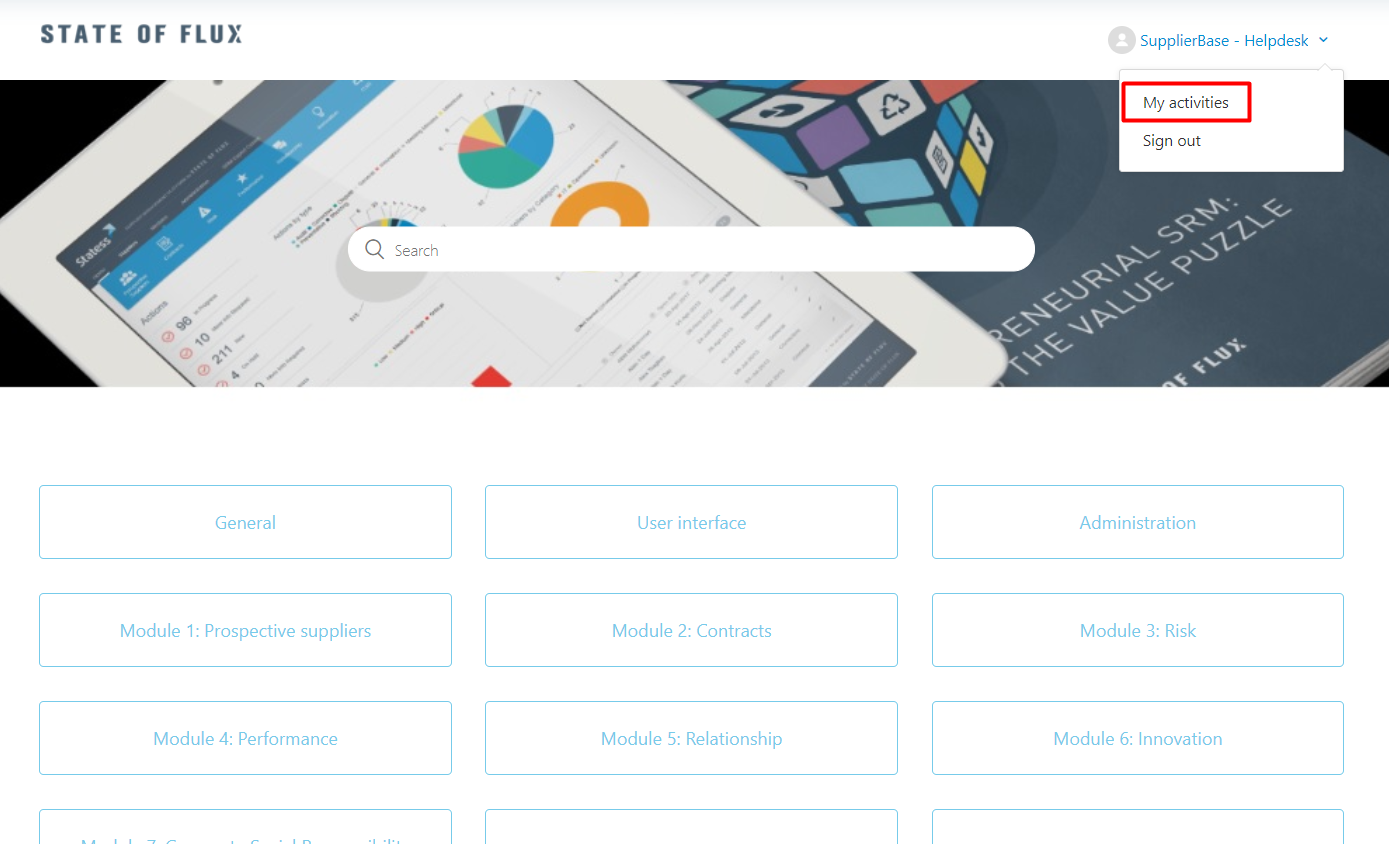
To review your open technical support request at Zendesk, click on the "My Activities" option on the top-right corner of the page.