
Sometimes it is required to send the same questionnaire to the same people that have already responded to it but in a different period of time. For example, the same questionnaire may need to be sent on a yearly basis. In this case, the questionnaire must be reissued.
IMPORTANT NOTE: Only active questionnaire(s) can be selected to be reissued.
In order to do that, you have to click the Reissue button, at the bottom of the questionnaires page.
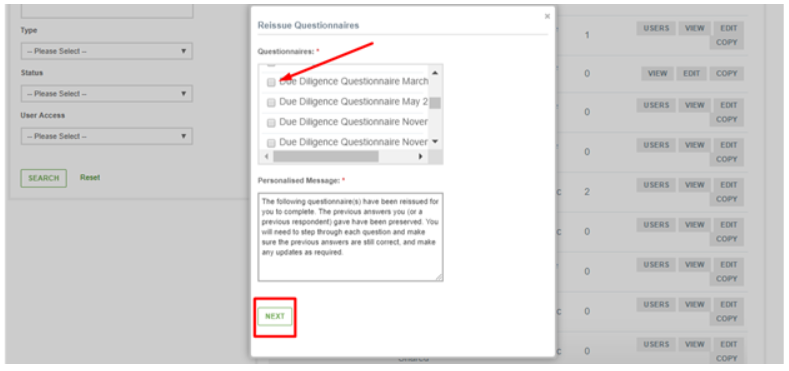
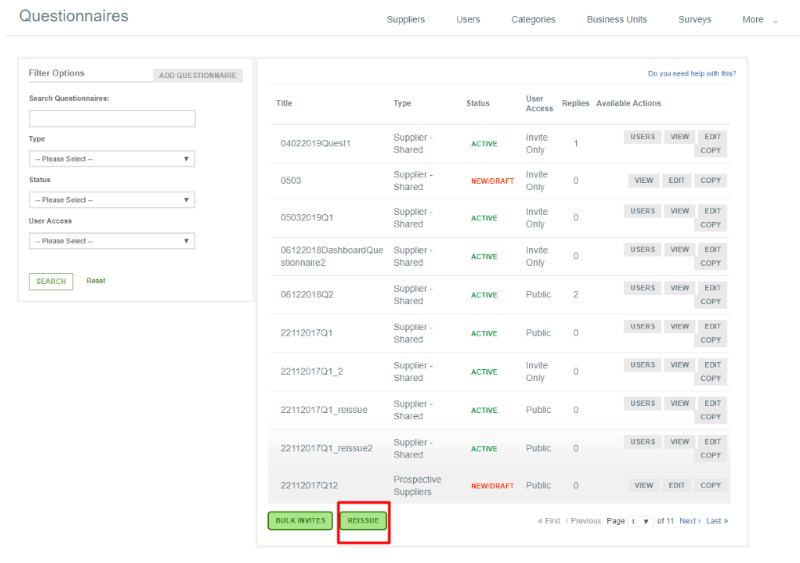 When you click that, the following window pops up. In it you have to select the questionnaire you want to reissue by ticking the corresponding box and then click the Next button.
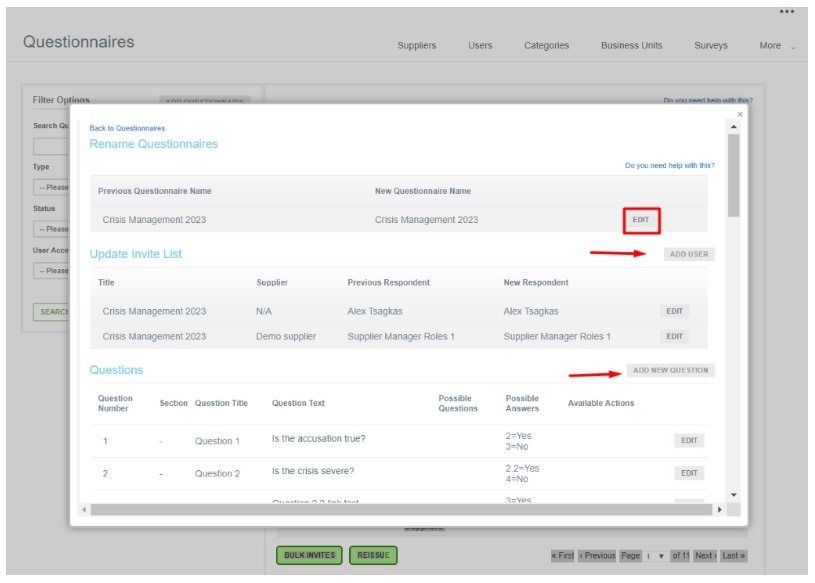
When you do that, another window pops up in which you can do the following:
- Rename the questionnaire
- Update the invite list by adding users or editing the ones that have already received the questionnaire
- Edit the questions
When you make all the changes that you consider necessary, you click the Reissue button at the bottom of the page.