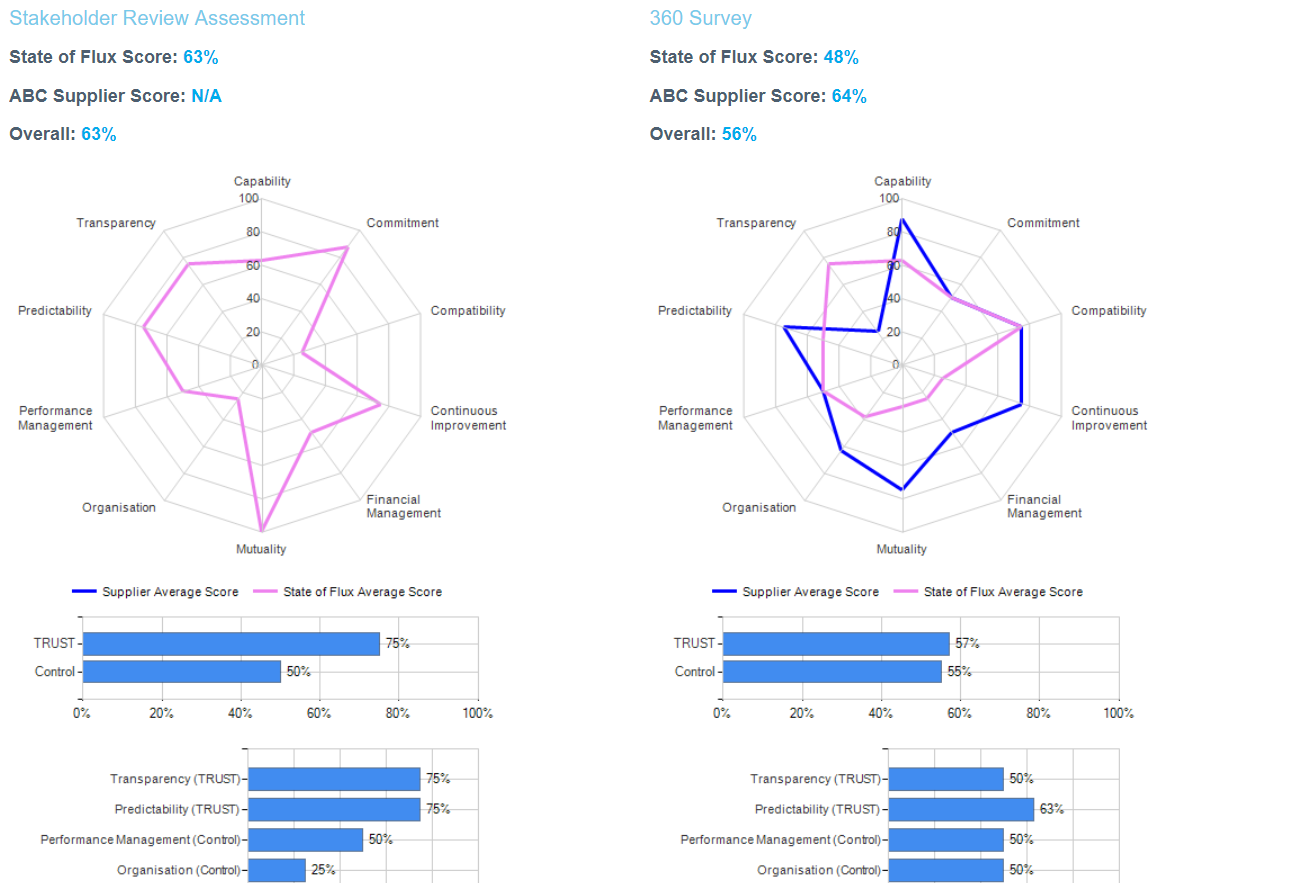
Over time, users might run numerous 360-surveys with a supplier and it is valuable to be able to compare the results of two surveys in order to understand the progress and changes in the perception of the relationship between the two parties.
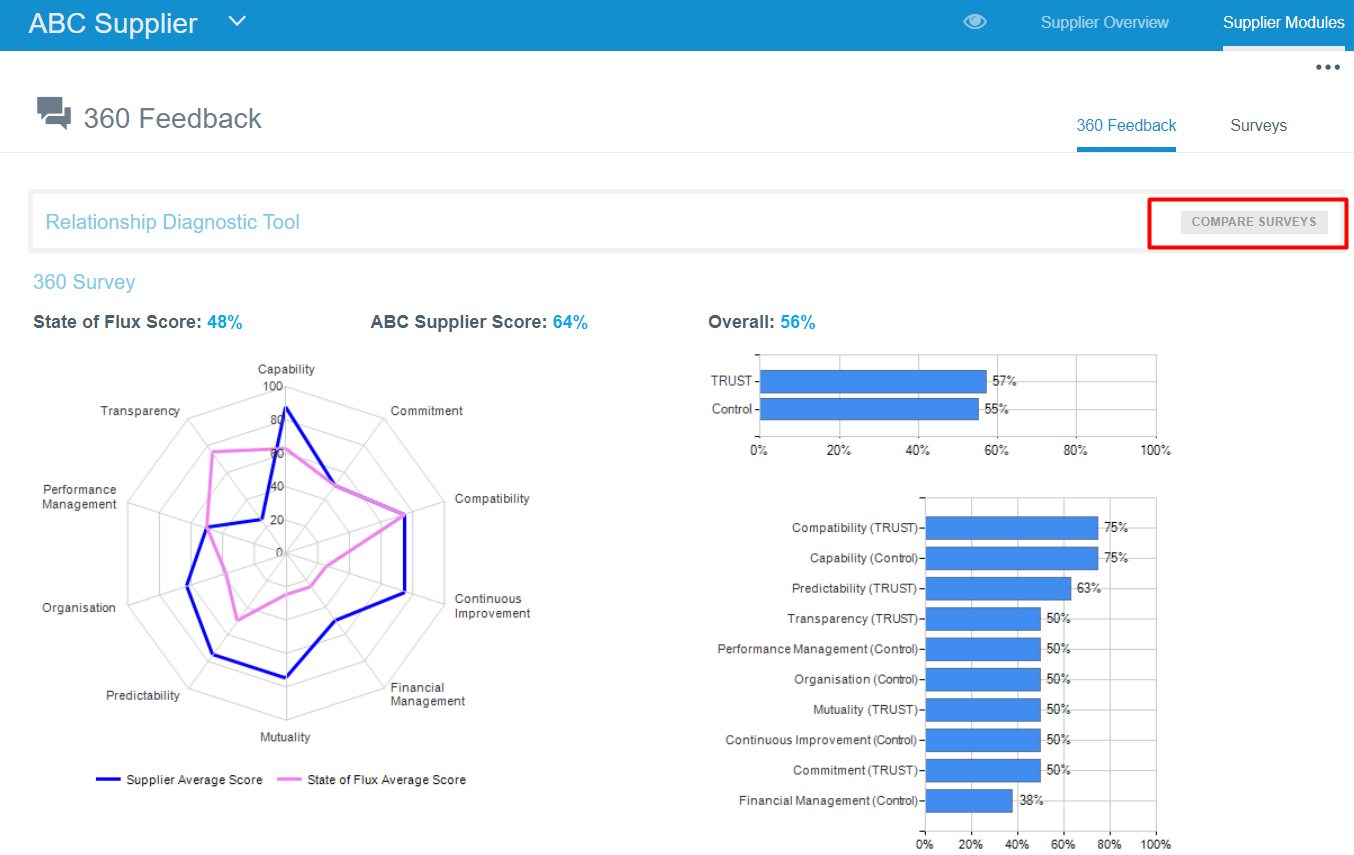
To compare 360-degree surveys, in Supplier Modules > Relationship > 360 feedback page, click on Compare Surveys button.
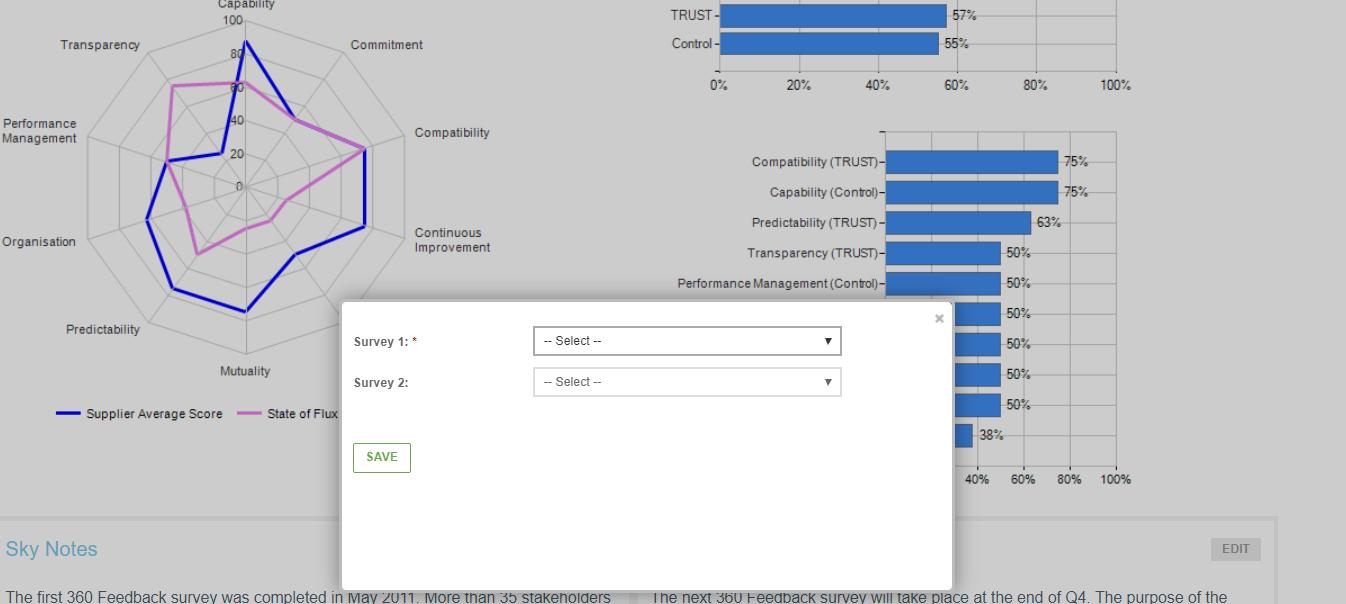
In the pop-up window, select two surveys to compare.
Then, the survey results will be presented side-by-side.