
When adding an Innovation, the following fields appear on the screen:
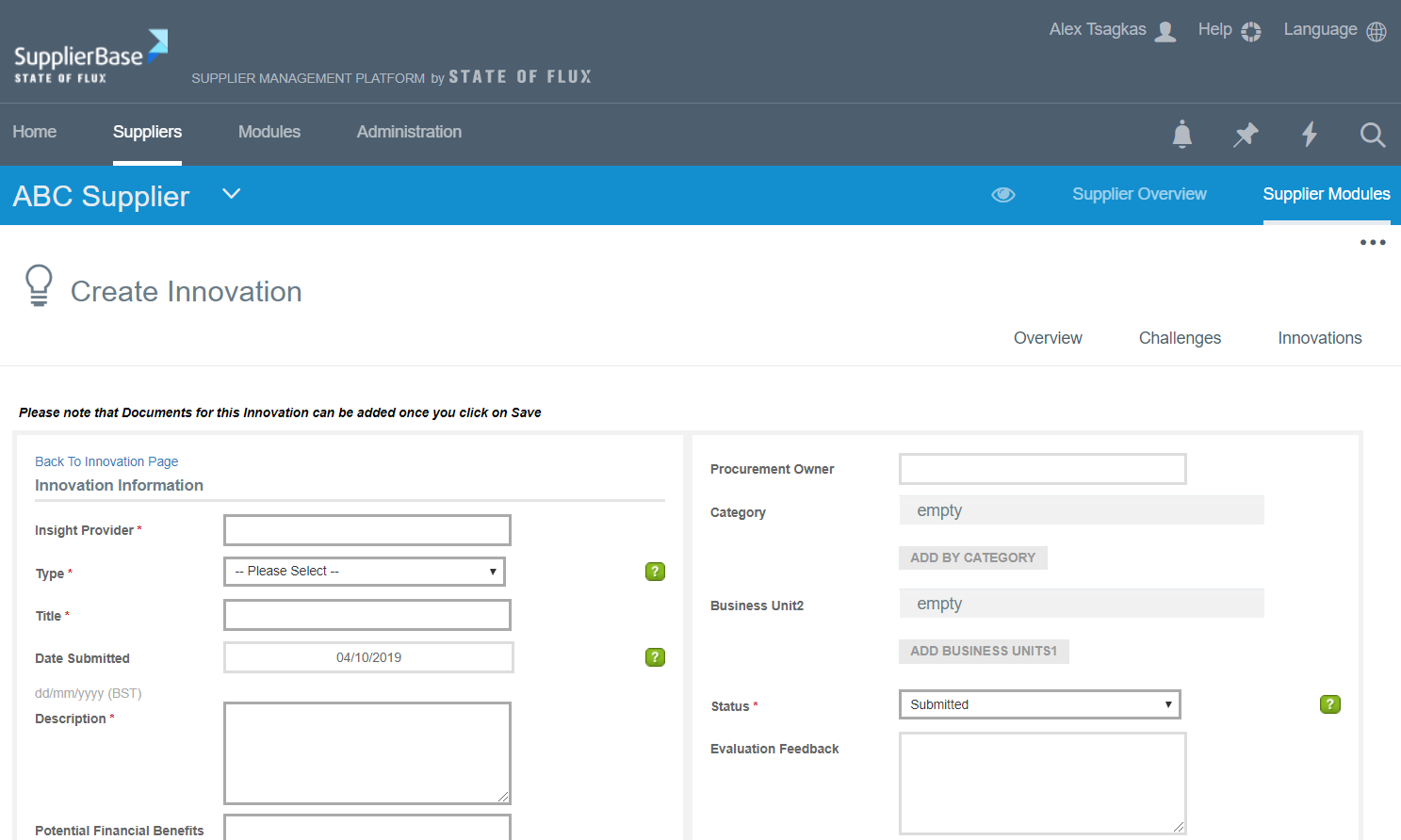
Supplier: the supplier to which the innovation is related to
Innovation provider: the name of the person that is responsible for the innovation
Type: if this innovation is associated with a certain type of entity (e.g. to a challenge, to a business case etc.)
Title: name of the innovation
Date submitted: the date the innovation was listed in the platform
Description: details on the innovation
Potential Financial Benefits: the financial impact that the innovation will cause
Potential Non Financial Benefits: the non- financial impact that the innovation will cause, e.g. brand management
Cost to implement: the approximate cost of the innovation
Cost to implement assumptions: the requirements that need to fulfilled in order to complete that innovation
Time to Implement: approximate time of innovation completion
Time to Implement Assumptions: how much time the requirements for the start of the innovation need to be completed
Link: any relevant link that provides details on the innovation
Notes: relevant details of the innovation
Procurement Owner: the person responsible for the innovation from the procurement department
Category: the category to which the innovation relates
Business Unit: the business units to which the innovation relates
Status: the status of the innovation (accepted, rejected, etc)
Evaluation Feedback: feedback that the customer can write and the supplier can see it
Commentary: comments on the innovations (visible on the commentary history)
Commentary History (Read-only): all the previous commentaries are displayed as read-only in this field
After completing all the required fields, and you click the Save button the innovation will be created and listed in your list of innovations and in the supplier’s page, if they are the ones submitting the innovation.