Users can navigate to the Relationship area of a supplier by hovering over a supplier, clicking on the quick navigation icon (see screenshot below) and selecting the Relationship module.
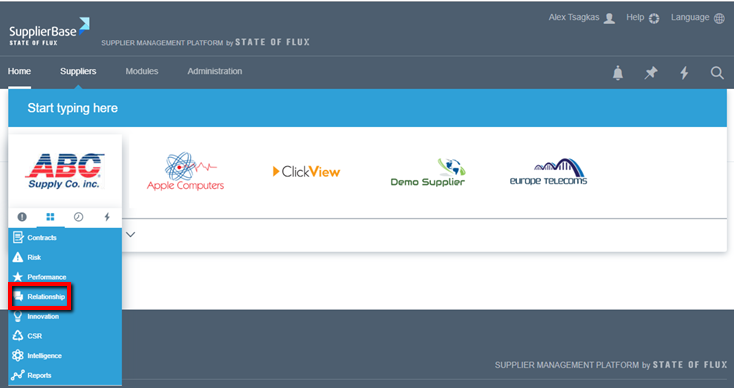
By clicking on Relationship, users will be directed to the Relationship module for a specific supplier, where they can access the various pages of the Relationship Module.
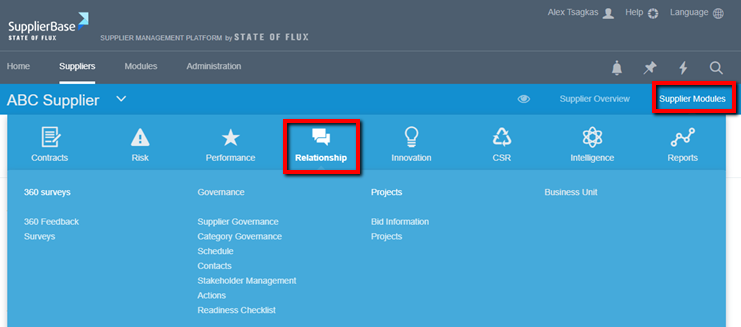
Alternatively, users can first access the supplier pages of a supplier, and then mouse over the Supplier Modules menu and reselect Relationship from the navigation.
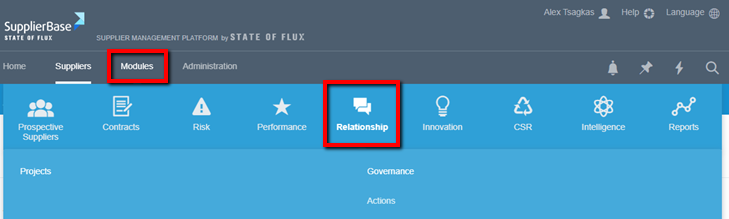
At the module level, users (with the required permissions) are able to view the relationship module at Modules > Relationship page.