
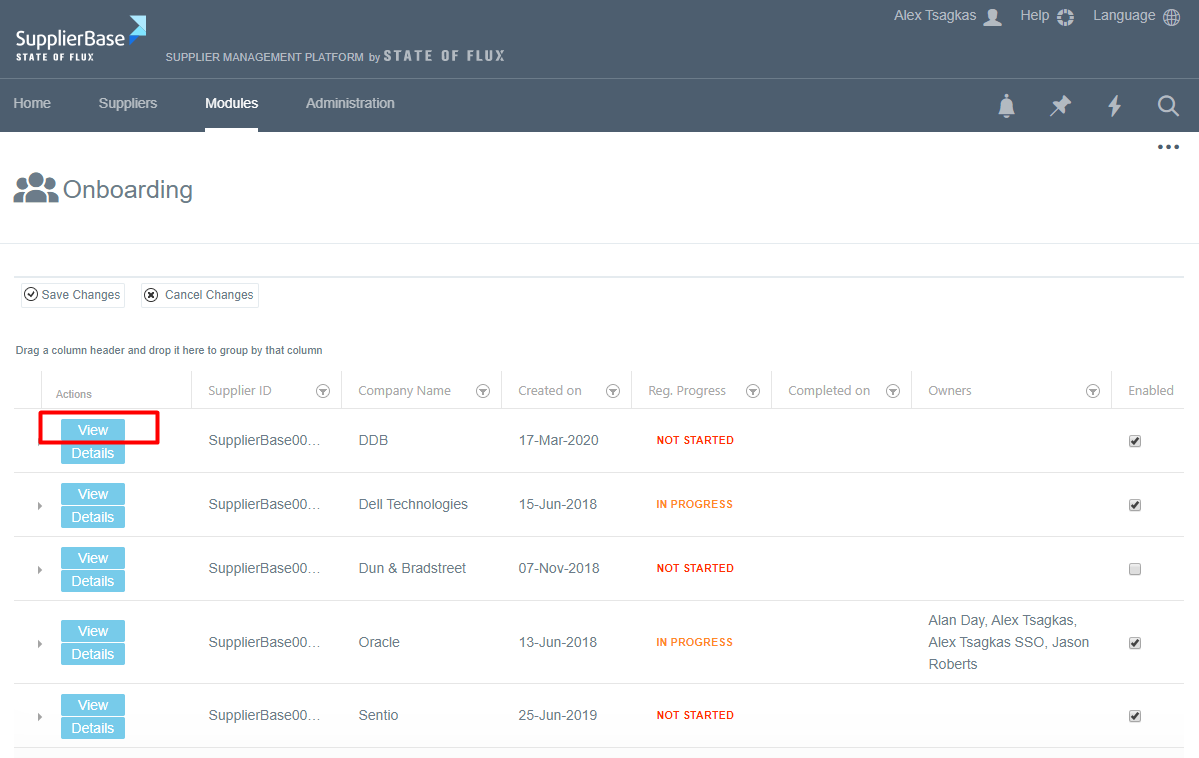
When the prospective suppliers register in the system, they will be added in the list of prospective suppliers of the customer users, which is under Modules > Onboarding. In order to view the submissions of the prospective suppliers, the users have to click the View button next to each supplier, as shown below.
If a prospective supplier qualifies to be a supplier, you need to remove them from the prospective suppliers' list and add them to suppliers' list. You can do that by going to Modules > Onboarding and find the supplier you want and go to the SRM approach column.
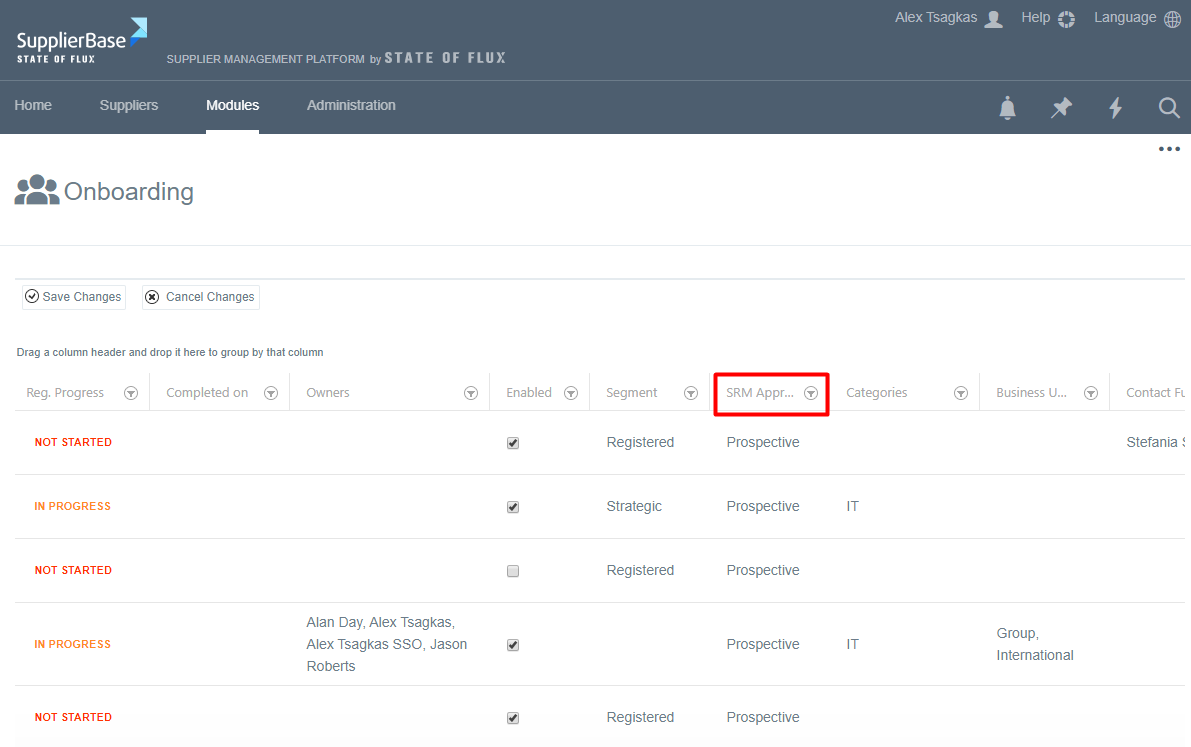
The column can be edited, so you have to choose the SRM approach you want for this supplier, e.g. Full SRM.
After that, the supplier will be removed from your prospective suppliers' list and be added to your suppliers' list.