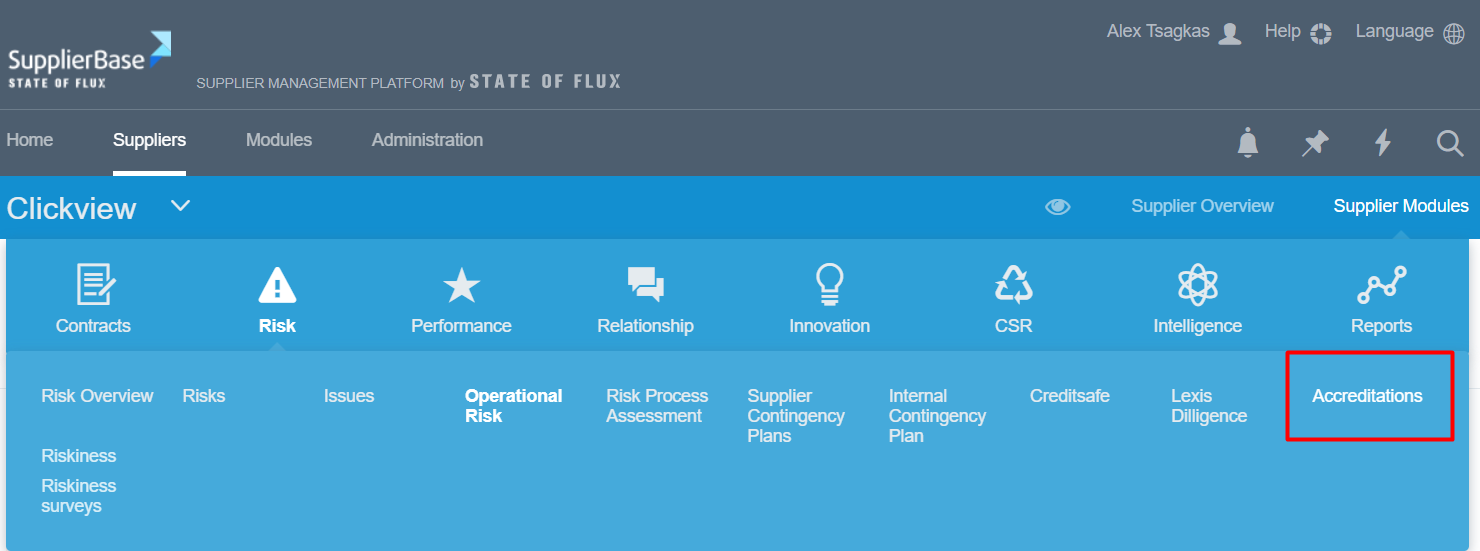
Under Supplier Modules > Risk > Accreditations, the users can ask from their suppliers to add their accreditations.
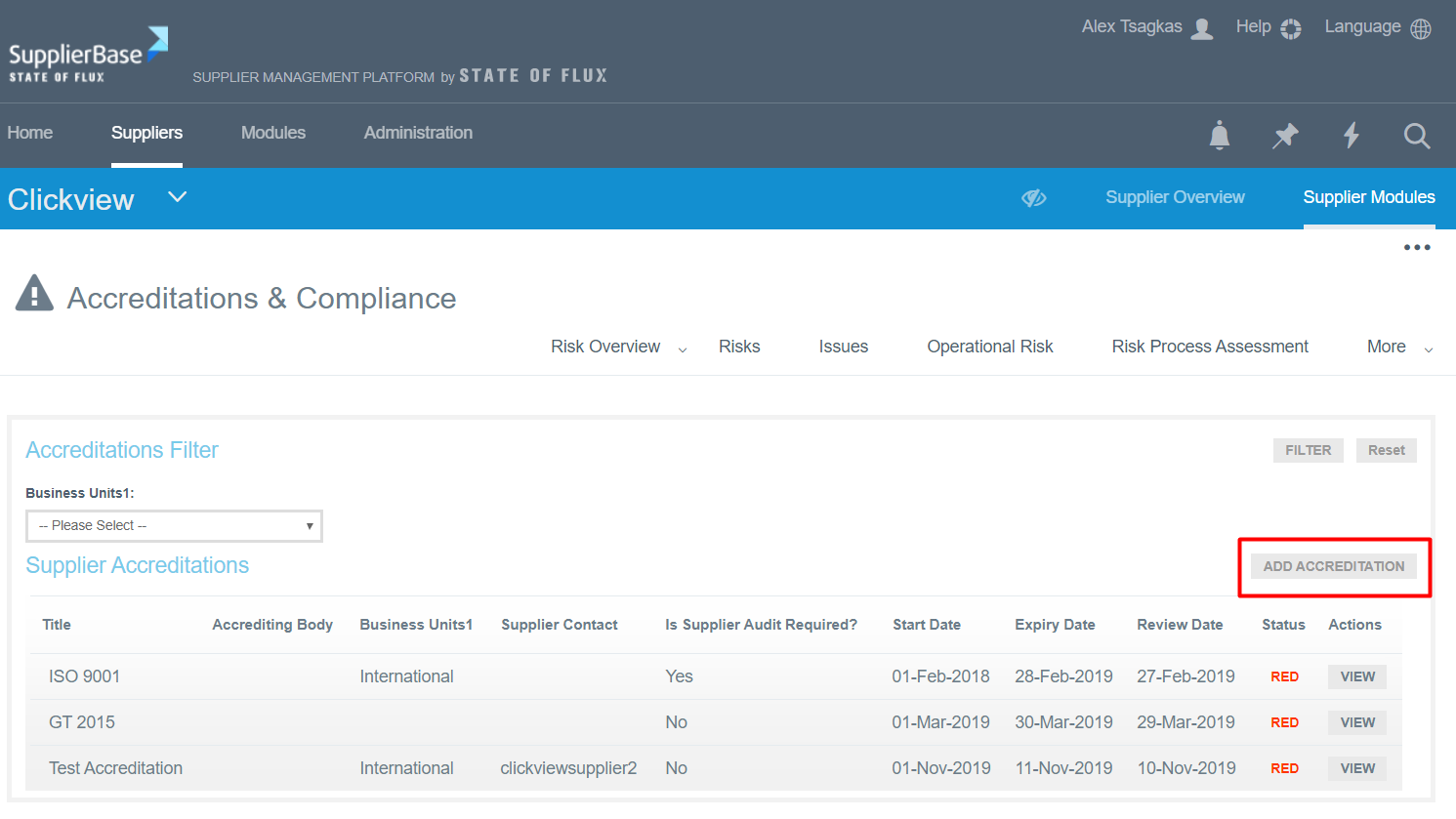
In this case, the users have to go to this page and click the "Add Accreditation" button.
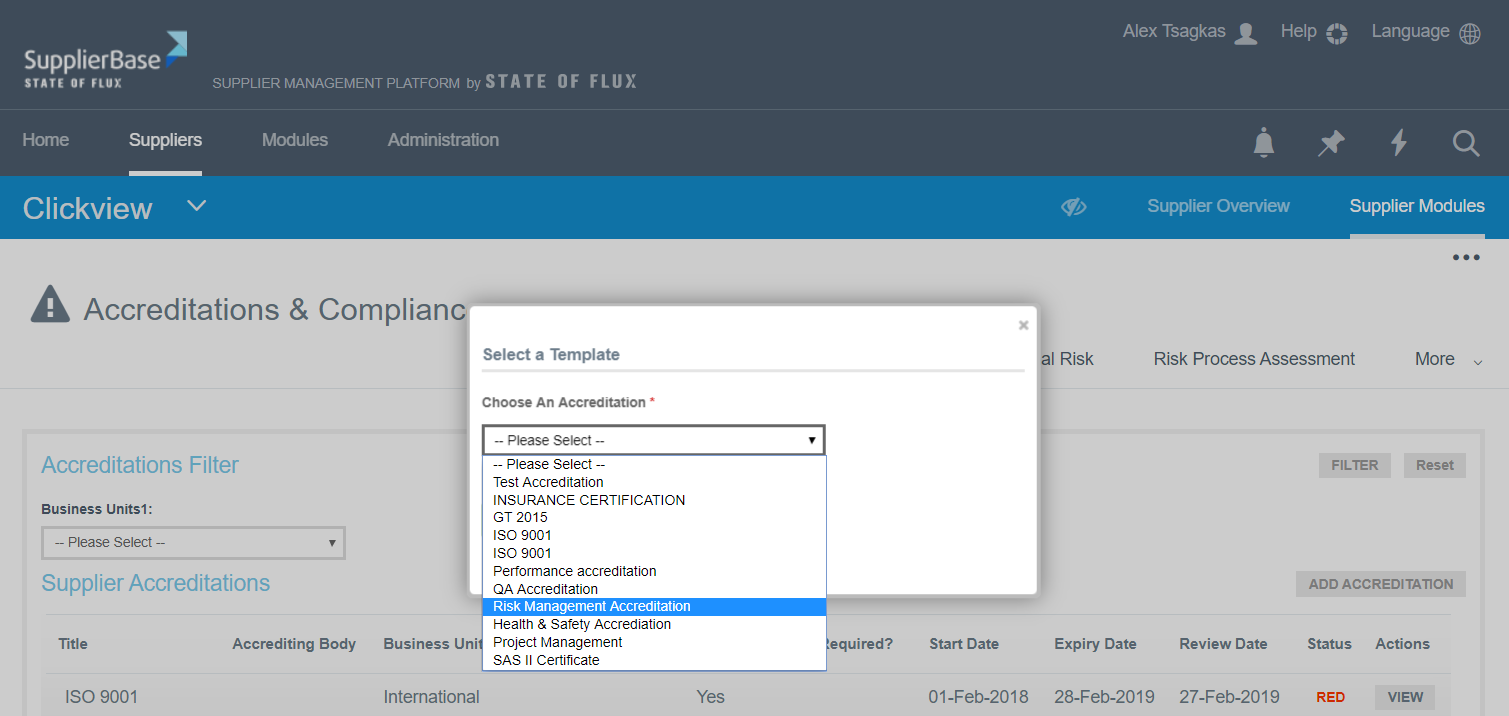
When they click this button, a window pops up. A drop down list appear, in which users have to select the type of accreditation they want to add.
Once they select it, another screen appears, in which they have to fill in all the details regarding the accreditation.
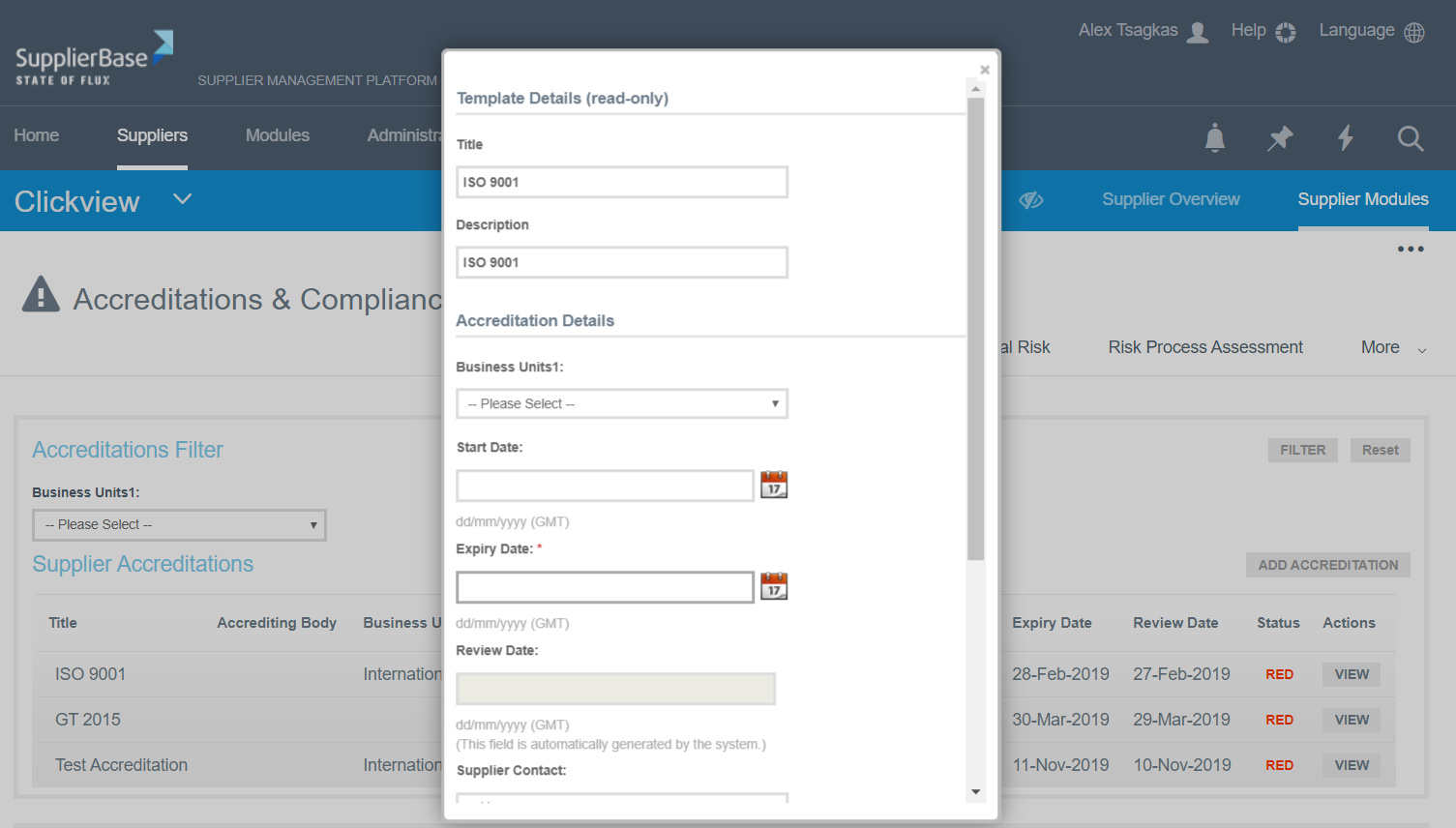
When they finish, they click the Save button and the accreditation is listed under the Suppliers’ Accreditations section in this page.
Then the users can view the accreditation details, if they click the View button.
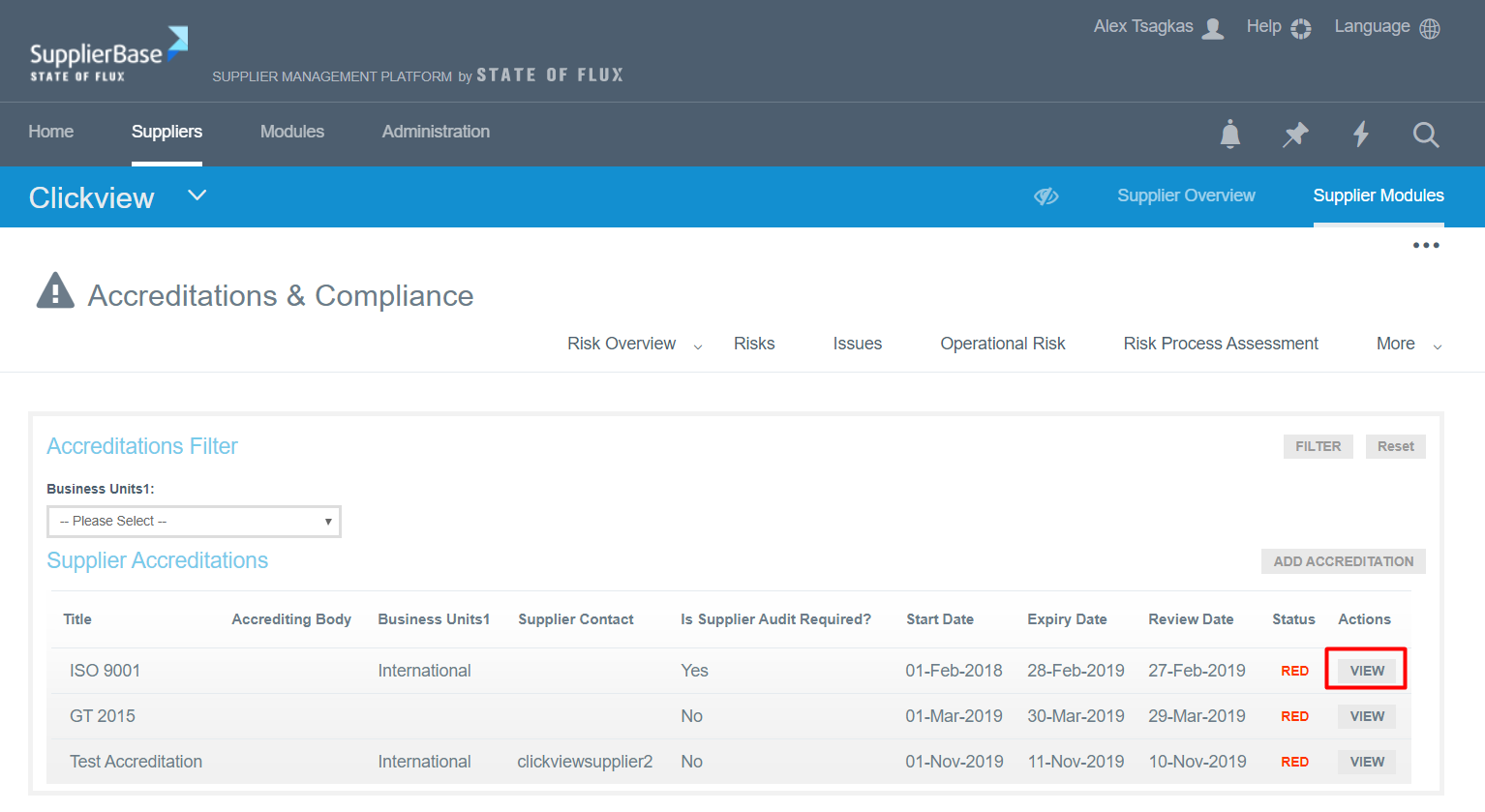
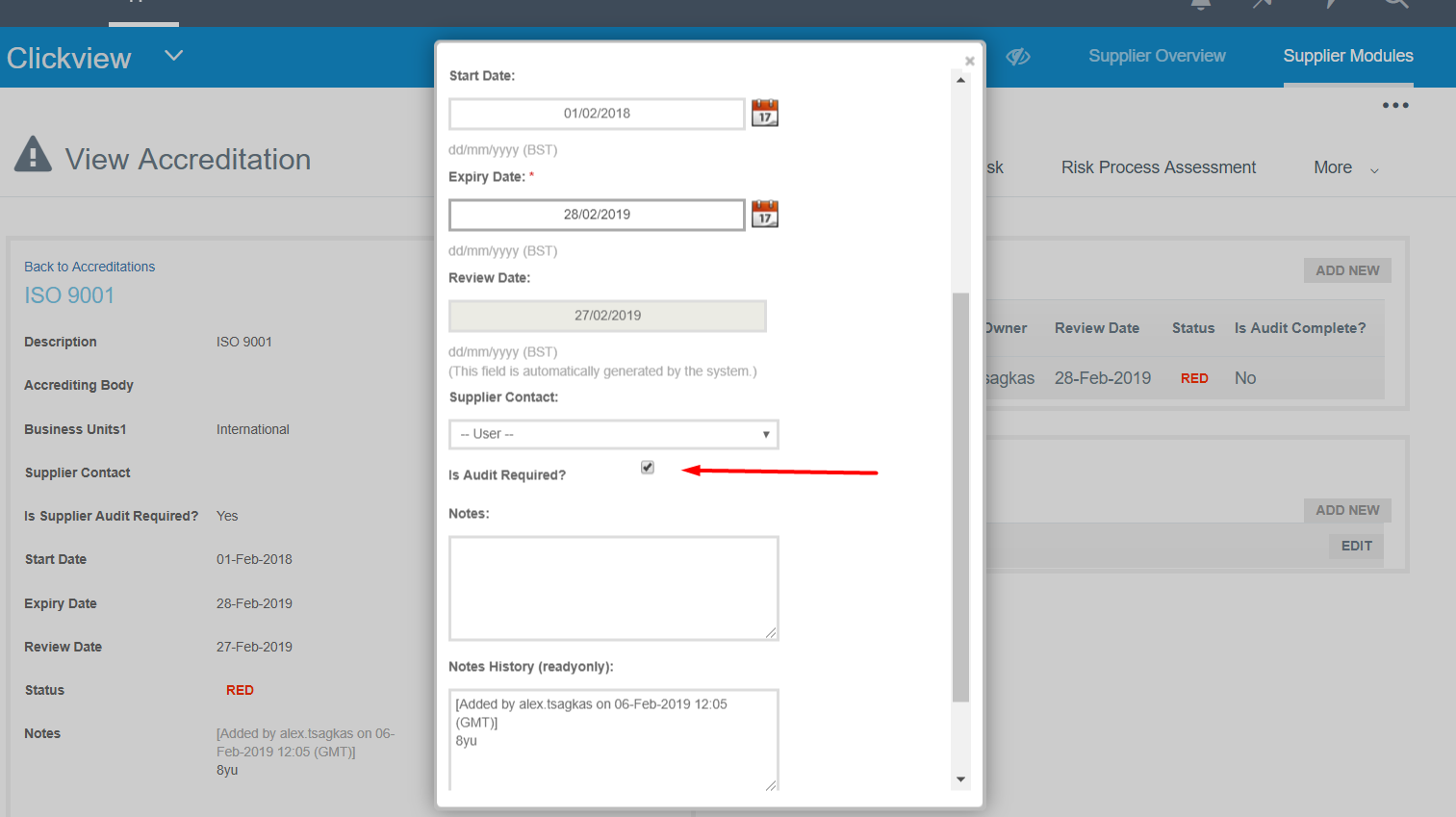
The Accreditation form opens and users can view /edit the details of the accreditation. If they consider it necessary, they can request to make an audit by selecting the option shown below.