This function provides an overall risk assessment of the suppliers. It calculates the overall risk score of each supplier, so that the user does not have to look at each risk separately, but know immediately if a supplier is risky and needs immediate attention.
The users can calculate the operation risk on the supplier level, under Supplier modules > Risk > Operational risks.
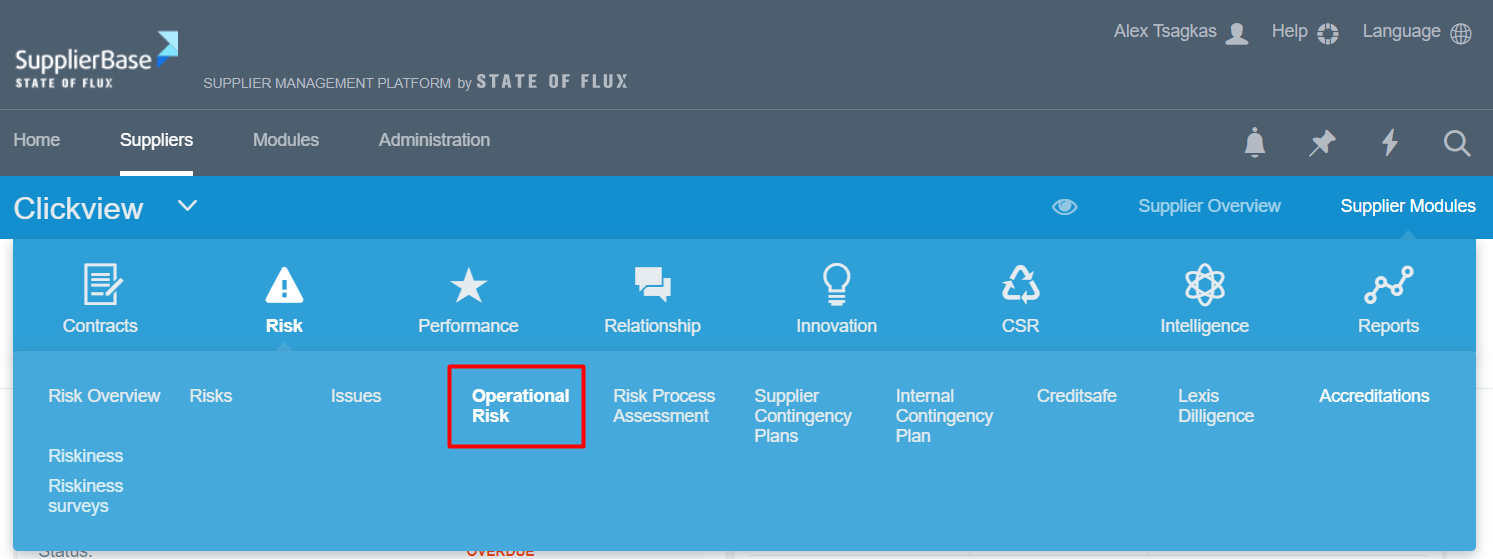
Once they select it a screen like the one below appears.
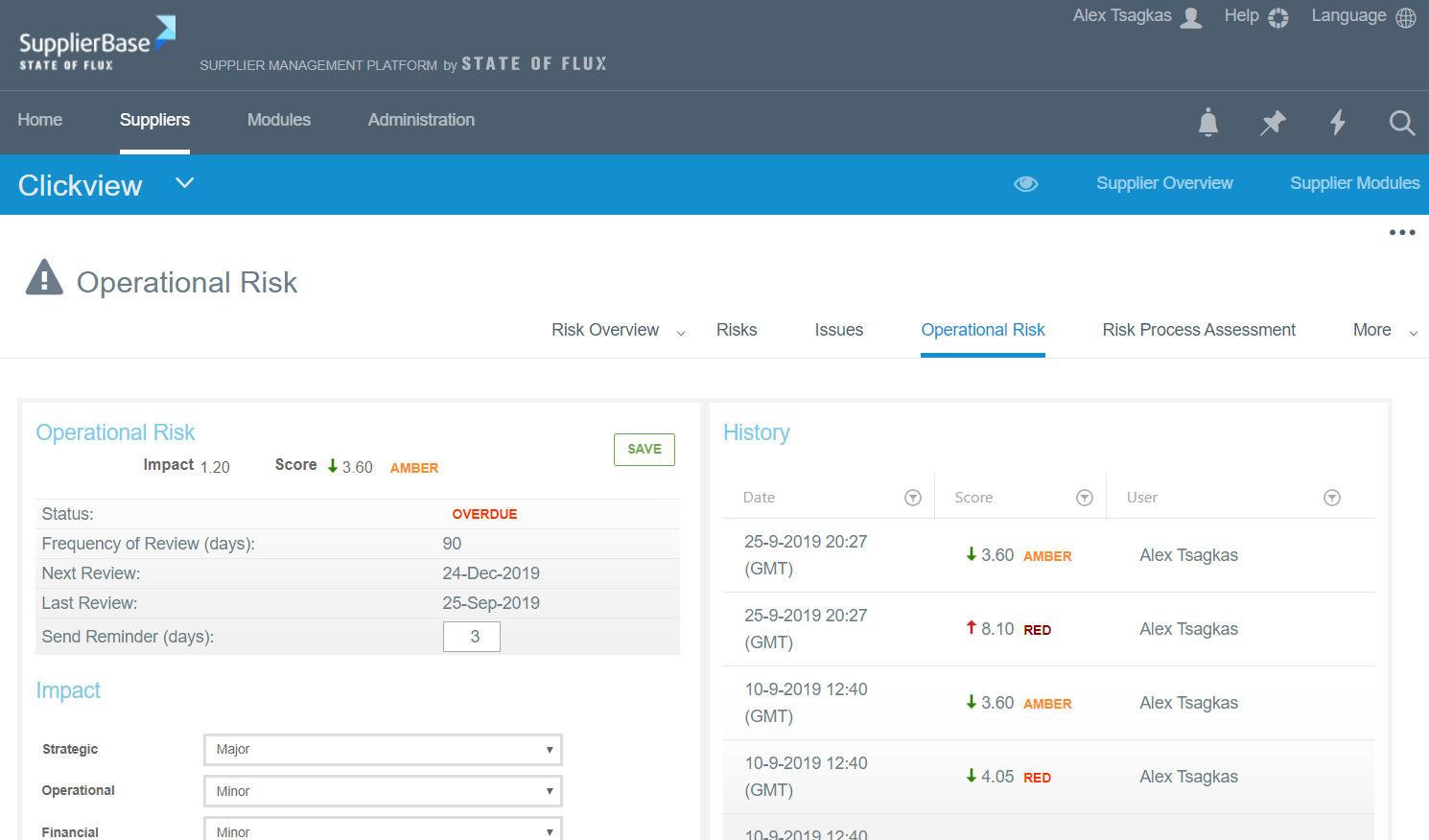
In this screen, the user must select the kind of impact (none, minor, moderate, major, catastrophic) the supplier has in the following areas:
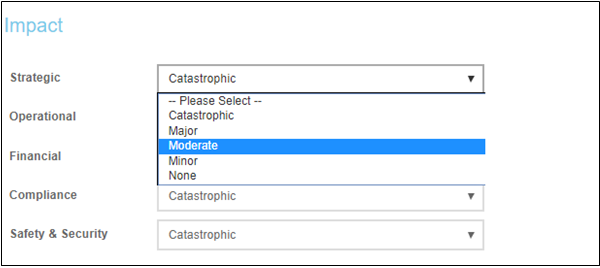
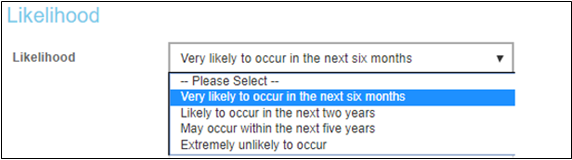
After that, the user must also select the likelihood of the risk impact of the supplier.
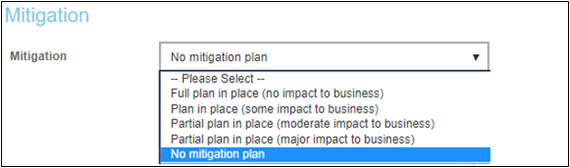
Next, the user must select the mitigation measures against this risk that are in place.
The user can also add relevant comments regarding the risk assessment of the supplier, add documents, and select which categories and business units are affected by the risk.
Once all the above are selected, the user clicks the Save button and the system generates a risk assessment score for the supplier and a RAG status. According to these, a frequency of review of this supplier is also generated, see example below.
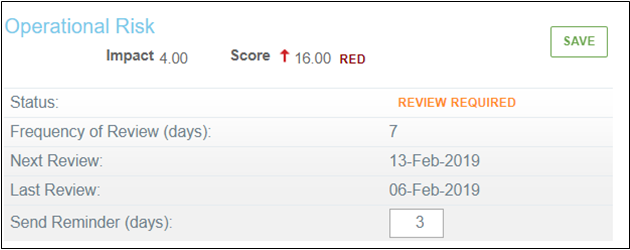
This way the supplier manager can have a quick overview of the suppler status.
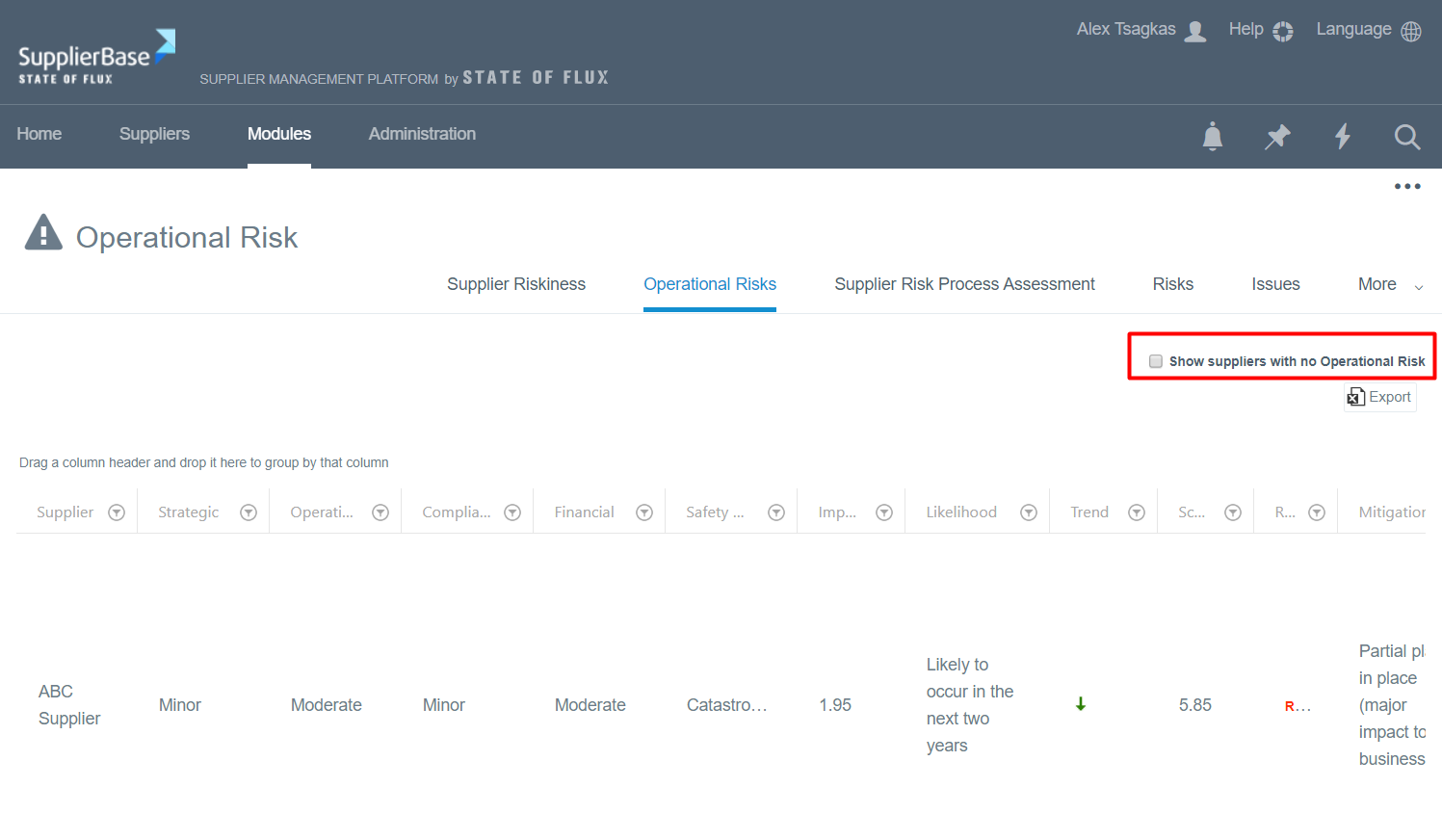
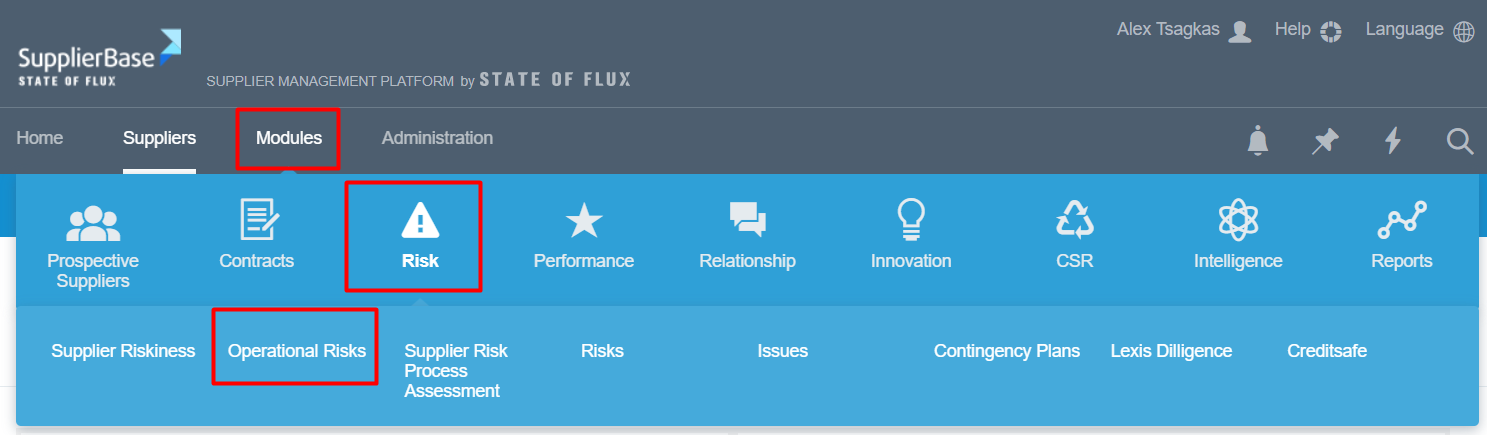
Also, the operational risks of all suppliers are displayed on the module level, under Modules > Risk > Operational risks.
In this page, all the suppliers with operational risk are listed. However, you can also choose to see which suppliers do not have operational risk, if you select this option as shown below.