
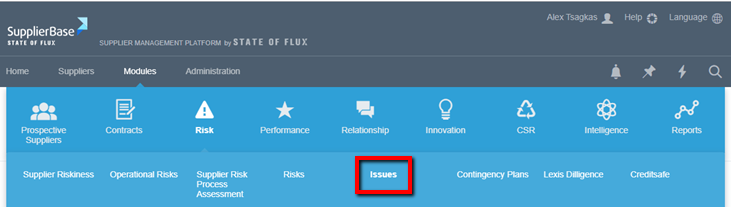
You can add issues that occur with your suppliers in the platform under Modules > Risk > Issues.
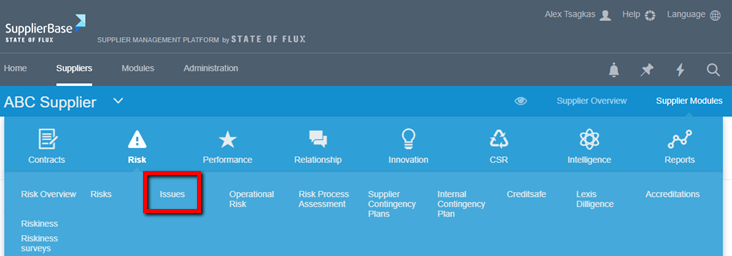
You also add them on the supplier level under Supplier modules > Risk > Issues.
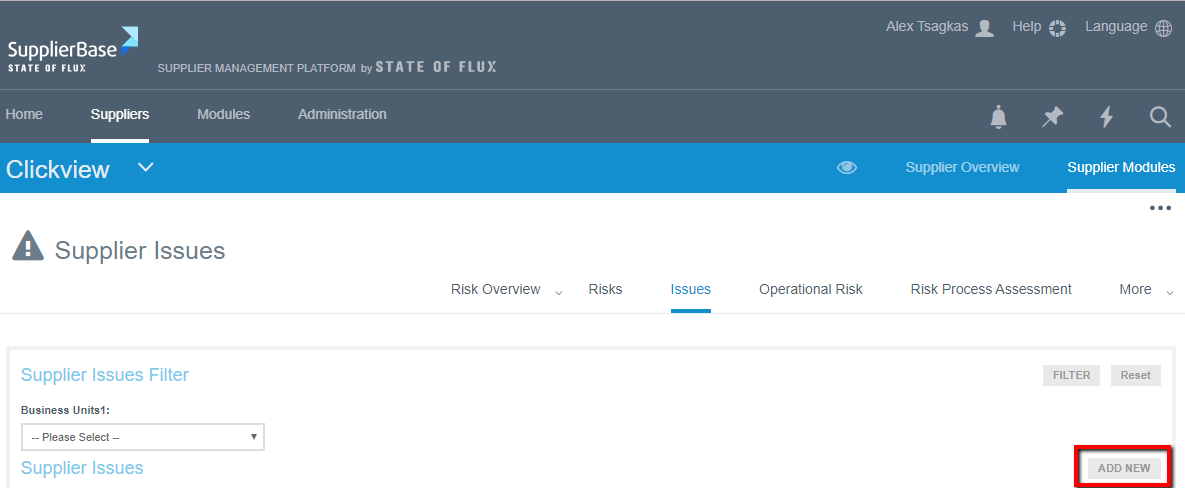
In both cases you will see the Add New button.
Once you select that, a pop-up window appears (see screenshot below). In order to add an issue, you have to fill in all the mandatory fields that are marked with an asterisk (*).
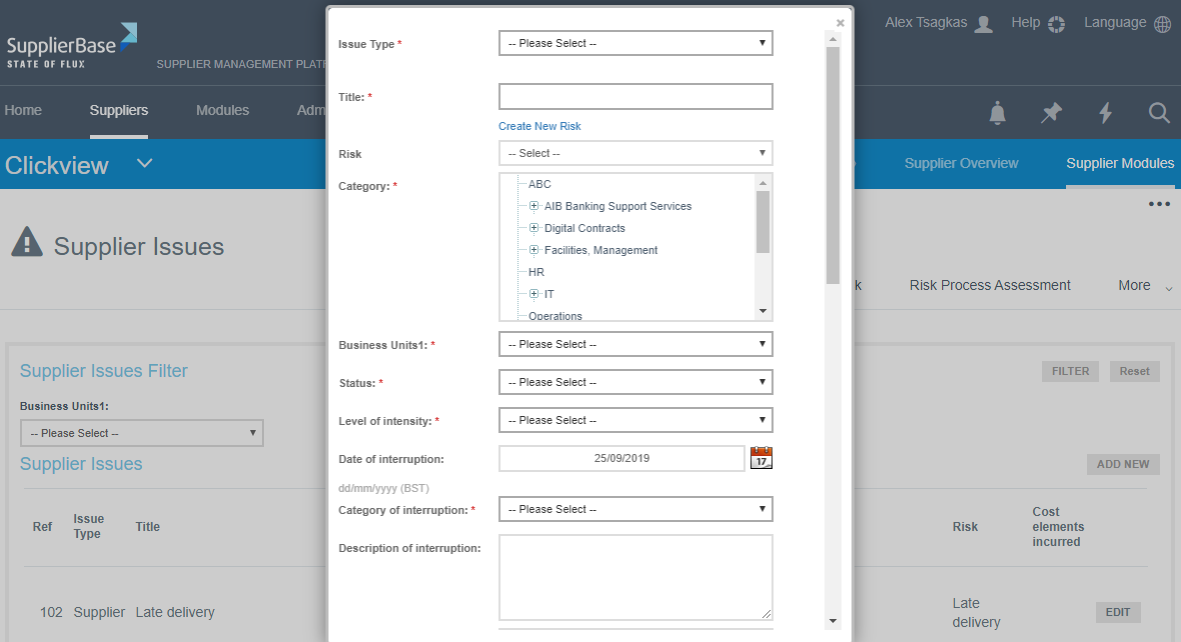
The elements that are contained in this window are the following:
Issue Type: this specifies if the issue is related to suppliers or it is internal only
Suppliers: which supplier the issue is related to
Title: in this field the Administrator can type the name of the issue
Risk: a risk that is probable to occur and is related to the issue
Category: The area in which the risk refers to, e.g. financial, technology etc.
Business unit: The business unit that is affected by the issue, e.g. a specific region, the whole company worldwide, etc.
Status: if the issue is still open or closed
Level of intensity: how severe the issue is, e.g. major or minor
Date of interruption: date on which the issue occurred
Category of interruption: the category to which the issue is related, e.g. financial issues, product availability etc.
Description of interruption: details on the issue
Cost elements incurred: the elements affected by the issue, e.g. brand name, extra costs etc
Total cost of interruption (£m): the total cost that has occurred due to the issue
Methodology and assumptions used to calculate the cost of interruption: a description of the rationale followed to calculate the total cost
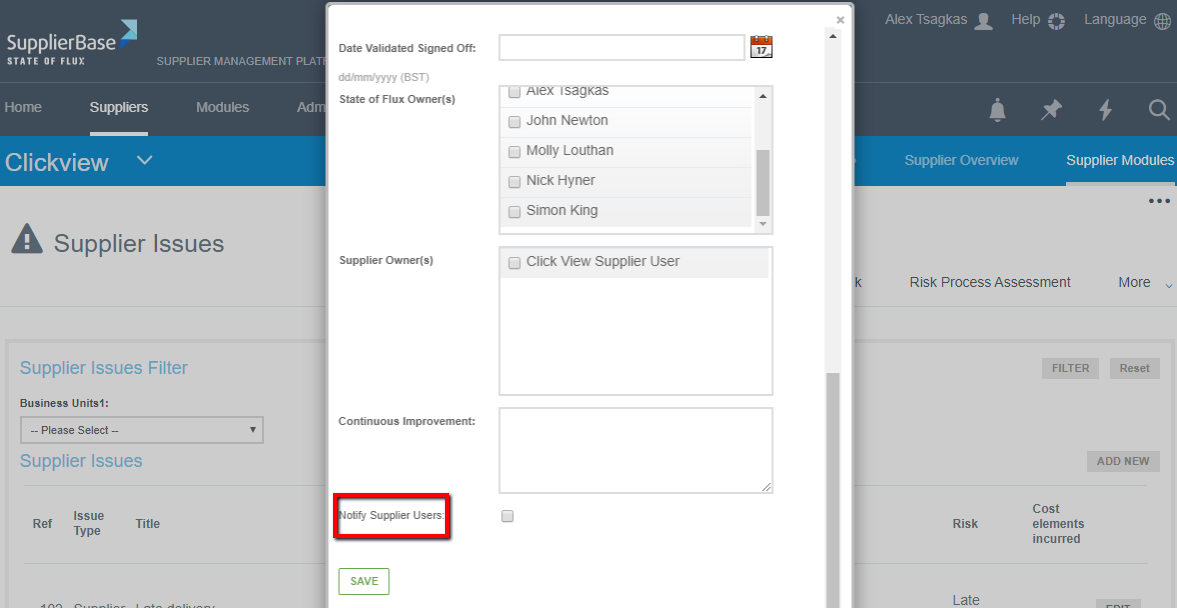
Date Validated Signed Off: the date when the issue was listed in the platform
Client’s Owner(s): who is responsible for facing this issue from the client’s side
Supplier Owner(s): who is responsible for facing this issue from the supplier’s side
Continuous Improvement: description of the measures taken in order to prevent the issue from happening again
The user has the option to notify the Supplier’s users by selecting the corresponding box as shown below.
IMPORTANT NOTE: The above fields might not be exactly the same. They depend on the configuration your company has decided.