
Note: this article is relevant only for environments in which the Supplier Contracting Entity field is enabled (i.e. included in the contract field configuration of an environment.
One of the fields that might be available in the contracts module (depending on your environments' configuration) is Supplier Contracting Entities.
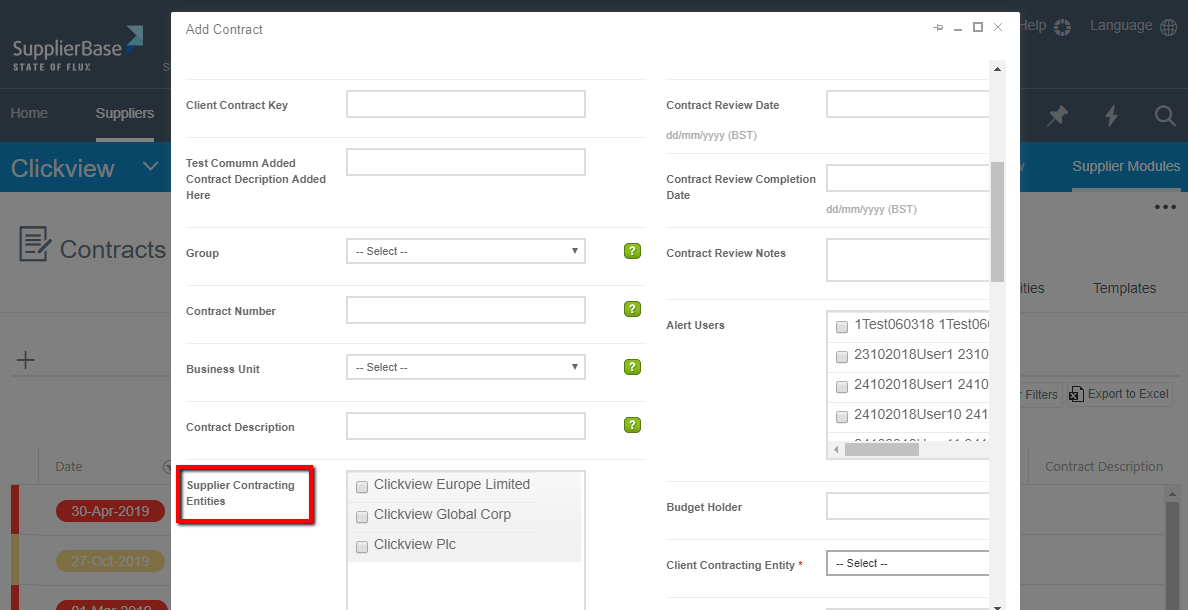
The purpose of this field is to define the (legal) entity of the supplier organisation which is party to a contract. The suppliers may have more than one legal entities with which you have signed a contract and there might be a need to add new entities in the platform.
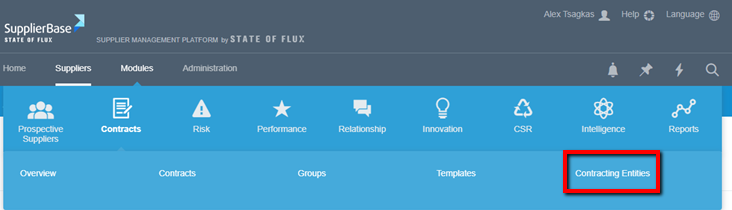
You can easily add a new contracting entity by selecting Modules > Contracts > Contracting Entities,
and clicking the Add New button as shown below.
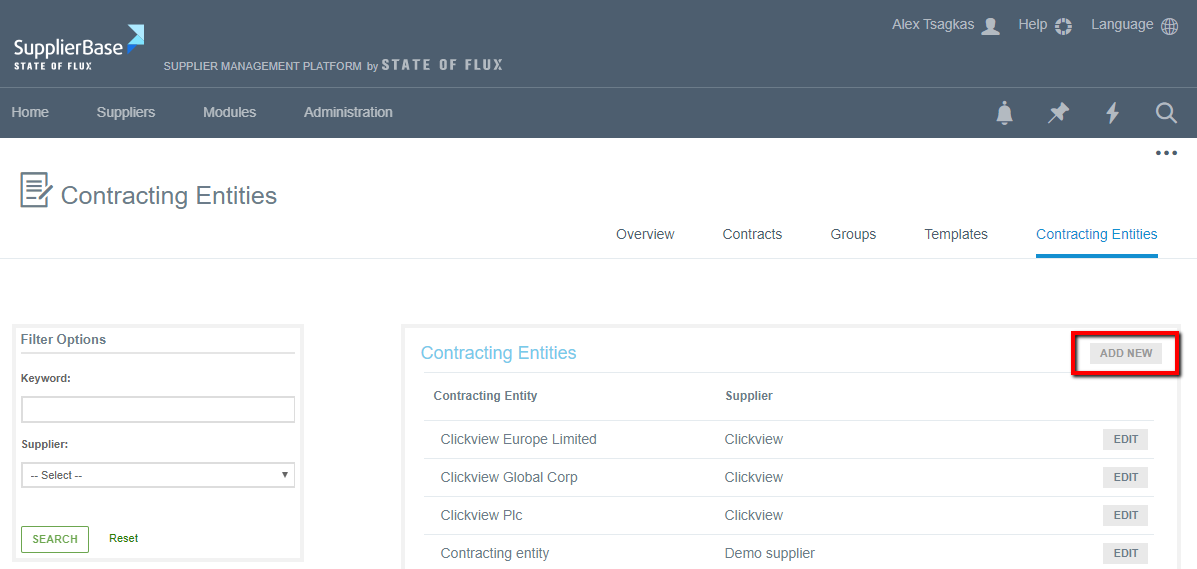
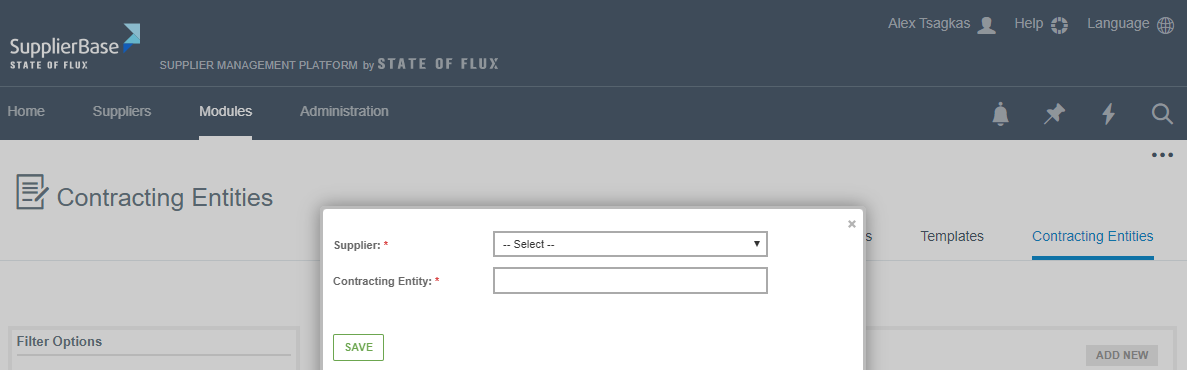
When you do that a pop up window will appear (as shown below), in which you can:
- Select a supplier from the drop-down list
- Type the name of the entity in the Contracting Entity field
- Click the Save button
The new contracting entity will be added in the list with all your contracting entities and you will be able to use it when adding contracts to the platform. See below an example of Clickview supplier.